 Illustrative preview
Outreach-style multi-step cadences (email, call, WhatsApp,
SMS) with auto-generated rep tasks and reply/meeting detection that auto-exits leads, built natively on ERPNext.
ECOSIRE designs, builds, installs, and supports it for your team on a build-to-order basis.
What is Sales Sequences & Cadence Engine?
Outreach-style multi-step cadences (email, call, WhatsApp, SMS) with auto-generated rep tasks and reply/meeting detection that auto-exits leads, built natively on ERPNext. ECOSIRE designs, builds, installs, and supports it for your team on a build-to-order basis. Built to order by ECOSIRE for ERPNext v15, v16 — indicative price from $999.00 USD; request a quote for a scoped proposal.
Key Features
Built to order, done for you
No DIY setup — a working app, built, installed and supported by ECOSIRE.
- 1
You order
Start with a one-time build price. We scope it with you at kickoff.
- 2
We build & install
ECOSIRE builds, configures and installs it on your ERPNext.
- 3
Go live + support
You go live in about one working week, with two weeks of go-live support. Defects in the code we deliver are fixed free of charge.
Technical Specifications
- ERPNext Compatibility
- —
- License
- Licence confirmation required
- Python Requirement
- Python 3.10+
- Database
- MariaDB 10.6+
About this Product
Inside-sales and SDR teams running outbound on ERPNext quickly hit a wall. ERPNext's core CRM gives you Lead, Opportunity, ToDo tasks, and Email Templates, but it has no concept of a structured, timed sequence: a rep manually decides who to touch next, on which channel, and when. There is no native "Day 1 email, Day 3 call, Day 5 WhatsApp, Day 8 LinkedIn-style task" engine, no automatic exit when a prospect replies or books a meeting, and no send-time optimization. Reps drown in spreadsheets and manual reminders, follow-ups slip, and pipeline coverage becomes guesswork. ERPNext runs out of road exactly where modern outbound needs a cadence engine.
We build that engine as a proper Frappe app installed on your bench, with its own module and DocTypes rather than fragile customizations. A Sales Cadence DocType defines the sequence; a child table of Cadence Step rows holds each touch (channel, delay in days/hours, template, task subject, and business-hour constraints). Enrolling a Lead, Contact, or Opportunity creates a Cadence Enrollment record that tracks current step, next-action datetime, and status. A frappe.utils.background_jobs scheduler event (registered in hooks.py under scheduler_events) wakes on a cron cadence, finds due enrollments, and materializes the right action: an outbound Email via ERPNext's Email Queue/Notification layer with merge fields resolved from the linked document, or a ToDo/task assigned to the enrolled rep for call/WhatsApp/SMS touches, complete with reminders. WhatsApp and SMS dispatch route through your configured gateway (ERPNext's built-in SMS Settings, or a provider webhook we wire via a whitelisted method).
Reply and meeting detection drives auto-exit. Using hooks.py doc events on Communication (inbound email) and on Event/Opportunity (meeting booked or stage change), server scripts detect that a prospect has engaged and transition the enrollment to Replied or Meeting Booked, halting further touches so nobody gets an automated email after they've already answered. Everything is permission-aware: cadences, enrollments, and reporting respect ERPNext role profiles and user permissions, so an SDR only sees and acts on their own enrollments while managers get a workspace of cadence-level analytics. A whitelisted Frappe REST API (@frappe.whitelist() methods) and client scripts expose "Enroll in Cadence", "Pause", and "Skip Step" actions directly from the Lead/Opportunity form, and from list-view bulk actions for batch enrollment.
Because this is build-to-order, nothing ships until we agree on scope. We start with a scoping call to map your channels, gateways, cadence templates, business hours, and exit rules, then build against your Frappe/ERPNext version (v15 or v16). You get the installable source for your version, deployed and configured on your bench, validated on staging through UAT before it touches production, with training and a post-go-live support window. Typical delivery is one working week from confirmed scope.
What you get
- Installable Frappe app source code built for your ERPNext version (v15 or v16), packaged for your bench
- Installation and configuration on your environment: app install, gateway/SMS wiring, cadence templates, business-hours and role setup
- Technical documentation: DocType schema, `hooks.py` events, scheduler events, whitelisted API endpoints, and integration notes
- User guide plus a live training session for SDRs and sales managers on enrolling, pausing, and reading cadence analytics
- UAT on a staging bench with a documented test plan and a rollback plan before any production deployment
- Post-go-live support window for bug fixes and configuration adjustments after launch
- Git repository handover with full commit history and README so your team owns and can extend the code
- Cadence template starter pack (sample multi-channel sequences and merge-field templates) configured to your outbound playbook
Who this is for
SDR / Inside-Sales Team Lead
Needs every rep running a consistent, timed outbound sequence instead of ad-hoc follow-ups. Wants auto-generated call and WhatsApp tasks, reply-based auto-exit, and cadence-level reply/conversion reporting to coach the team - all inside ERPNext, not a separate outreach tool.
Sales Operations Manager
Owns the ERPNext CRM configuration and wants outbound structure without bolting on another SaaS or exporting leads. Cares about role-profile-scoped access, clean data on the `Lead`/`Opportunity`, gateway integration for WhatsApp/SMS, and a maintainable Frappe app rather than brittle customizations.
Revenue / Pipeline Leader
Wants predictable pipeline coverage and visibility into how many prospects are in-cadence, replying, and booking meetings. Needs dashboards and audit trails that prove touches are happening and that engaged prospects stop getting automated messages.
ERPNext Administrator / Implementer
Responsible for the bench and upgrades. Wants a properly namespaced Frappe app with documented DocTypes, `hooks.py` events, and scheduler events that survive ERPNext v15-to-v16 upgrades, plus a git handover and staging UAT before production.
How Sales Sequences & Cadence Engine Compares
| Criterion | ECOSIRE | Custom Build | Competitor | ERPNext Native |
|---|---|---|---|---|
| Multi-step, multi-channel cadences | Purpose-built `Sales Cadence` + `Cadence Step` DocTypes across email/call/WhatsApp/SMS | Possible but you design the whole state machine yourself | Often email-only or a partial sequence feature | No cadence concept - manual ToDos and email templates only |
| Reply / meeting auto-exit | `hooks.py` doc events on Communication and Opportunity auto-halt engaged prospects | Must build and test the detection logic from scratch | Sometimes present, often email-reply only | None - reps must manually stop following up |
| ERPNext-native integration | Proper namespaced Frappe app: DocTypes, scheduler events, whitelisted API | Depends entirely on your developer's discipline | Varies; may not follow Frappe conventions cleanly | Fully native but lacks the feature set |
| Version fit (v15 / v16) | Built and tested against your exact running version | Whatever you scope; upgrade path is on you | May lag behind current Frappe releases | Ships with ERPNext, always current |
| Delivery model | Build-to-order, one working week from confirmed scope, UAT on staging first | Unpredictable timeline and internal capacity dependent | Instant install but generic fit | Already installed, zero cadence capability |
| Ownership & handover | Full source + git repo handover, your team can extend | You own it, but you also own all the bugs | Usually closed-source, license-locked | Core code, not customizable without a custom app anyway |
| Support after go-live | Post-go-live support window + optional upgrade retainer | Only if your developer stays available | Vendor support tiers, variable responsiveness | Community/ERPNext support, not cadence-specific |
| Send-time optimization | Configurable optimal windows + business-hour gating per timezone | Extra scope you must specify and build | Rarely offered on Frappe marketplace apps | Not available |
Frequently Asked Questions about Sales Sequences & Cadence Engine
How long does delivery take?
This is a build-to-order product, not an instant download. After a scoping call to confirm channels, gateways, cadence templates, and exit rules, typical delivery is one working week from confirmed scope. Larger multi-gateway or custom-integration builds may run longer, and we agree the timeline in writing before starting.
Is this an existing app I can download from the Frappe marketplace?
No. ECOSIRE designs, builds, installs, and configures it specifically for your ERPNext environment and outbound playbook. You receive installable source code and a git repository handover for your version - it is a build-to-order engagement, not an off-the-shelf marketplace listing.
Which ERPNext and Frappe versions are supported?
We build against Frappe/ERPNext v15 and v16. We target your exact running version so the app's DocTypes, `hooks.py` doc events, and scheduler events are compatible and upgrade-friendly. Tell us your version on the scoping call and we build to match.
How do WhatsApp and SMS actually get sent?
Email touches use ERPNext's native `Email Queue`. WhatsApp and SMS route through the gateway you provide - ERPNext's built-in SMS Settings, or a provider (WhatsApp Business API, Twilio, etc.) we wire via a whitelisted method. Call and manual-WhatsApp steps can instead generate an assigned `ToDo` task for the rep to action.
How does reply and meeting detection work?
The app registers doc events in `hooks.py` on inbound `Communication` records and on `Event`/`Opportunity` stage changes. When a prospect replies or a meeting is booked, a server script transitions the `Cadence Enrollment` to a `Replied` or `Meeting Booked` state and halts remaining steps, so no one receives an automated touch after they have already engaged.
What kind of support and updates do I get after go-live?
Every engagement includes a post-go-live support window for bug fixes and configuration adjustments. Because you receive the full source and git repository, your team can extend it in-house, and ECOSIRE offers ongoing support and version-upgrade retainers separately if you want us to maintain it across future ERPNext releases.
Will it respect our existing ERPNext permissions?
Yes. Cadences, enrollments, and reporting honor ERPNext role profiles and user permissions. SDRs see and act only on their own enrollments, while managers get cadence-level analytics. No touch data leaks across teams, and all actions run through permission-checked whitelisted methods.
Related Modules
Sales Commission & Incentive Accounting
A build-to-order Frappe app that automates tiered sales commission and incentive calculation in ERPNext, with accrual journals, claw-backs on credit notes, and per-rep commission statements. ECOSIRE builds, installs, and supports it for you.
Sales Commission Management for ERPNext
A build-to-order Frappe app that replaces ERPNext's single fixed commission rate with multi-tier plans by product, target, and team — commissions on profit or net total, split across reps, with an approval and accrual workflow. ECOSIRE scopes, builds, installs, and supports it.
Salon & Spa POS / Appointments for ERPNext
A build-to-order ERPNext solution that unifies online and in-store appointment booking, stylist and therapist scheduling, and combined service-plus-retail POS billing with commission and tip tracking. Scoped, built, installed and supported by ECOSIRE for salons, spas and wellness studios.
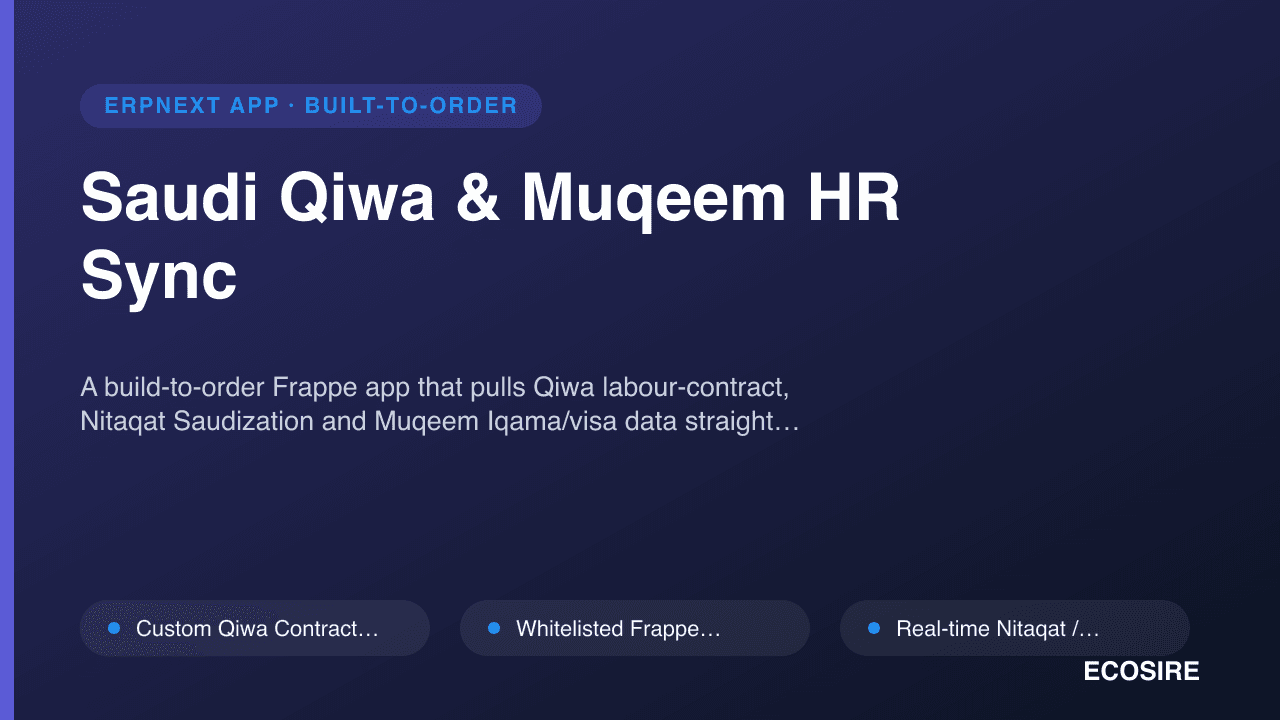
Saudi Qiwa & Muqeem HR Sync
A build-to-order Frappe app that pulls Qiwa labour-contract, Nitaqat Saudization and Muqeem Iqama/visa data straight into your ERPNext Employee master. ECOSIRE scopes, builds, installs and supports it on your bench — typical delivery one working week from confirmed scope.
Sales Sequences & Cadence Engine
Outreach-style multi-step cadences (email, call, WhatsApp, SMS) with auto-generated rep tasks and reply/meeting detection that auto-exits leads, built natively on ERPNext. ECOSIRE designs, builds, installs, and supports it for your team on a build-to-order basis.
- Multi-step, multi-channel cadences (email, call, WhatsApp, SMS) modeled as a `Sales Cadence` parent DocType with a `Cadence Step` child table for ordered touches
- Per-step relative delays in days or hours with business-hour and working-day gating so touches never fire overnight or on weekends
- Auto-generated rep tasks: call/WhatsApp/SMS steps create assigned `ToDo` records with subject, due date, and reminders tied to the enrolled user
- Automated email touches sent through ERPNext's native `Email Queue` with tracking, so opens and bounces stay inside the platform