 Illustrative preview
Click-to-dial, screen-pop and call logging between Asterisk/FreePBX and Odoo CRM.
Built, installed and supported by ECOSIRE.
What is Asterisk / FreePBX VoIP CTI Connector?
Click-to-dial, screen-pop and call logging between Asterisk/FreePBX and Odoo CRM. Built, installed and supported by ECOSIRE. Built to order by ECOSIRE for Odoo 17, 18, 19 — indicative price from $999.00 USD; request a quote for a scoped proposal.
Key Features
Built to order, done for you
No DIY setup — a working app, built, installed and supported by ECOSIRE.
- 1
You order
Start with a one-time build price. We scope it with you at kickoff.
- 2
We build & install
ECOSIRE builds, configures and installs it on your Odoo.
- 3
Go live + support
You go live in about one working week, with two weeks of go-live support. Defects in the code we deliver are fixed free of charge.
Technical Specifications
- Odoo Compatibility
- Odoo 17, Odoo 18, Odoo 19
- Editions
- Enterprise & Community
- License
- Licence confirmation required
- Python Requirement
- Python 3.10+
- Database
- PostgreSQL 12+
About this Product
The Asterisk / FreePBX VoIP CTI Connector wires your phone system directly into Odoo so every call becomes a tracked, actionable CRM event — with zero manual dialling and zero manual logging. This is a build-to-order Odoo module: ECOSIRE designs, develops, installs and hands over a connector tailored to your exact Asterisk or FreePBX setup, dial plan and CRM process. It is not an off-the-shelf apps.odoo.com download; there is no instant download, and no fake "one-click" promise you'll fight with later.
Under the hood, the connector adds a lightweight Odoo module (its own __manifest__.py, models extending models.Model, security via ir.model.access.csv plus record rules, and OWL/QWeb views) that bridges the Asterisk Manager Interface (AMI) or ARI to Odoo over a secure WebSocket (WSS) channel. When an inbound call rings an agent's extension, Odoo matches the caller ID against res.partner / crm.lead phone and mobile fields and pops the matching record on the agent's screen before they even say hello. When a sales rep wants to dial a contact, a click-to-dial control on any partner, lead, opportunity or helpdesk record originates the call through your PBX to the agent's handset or softphone. Every call — inbound, outbound, missed, answered — is written to a dedicated call-log model with direction, duration, extension, queue, disposition and a link back to the originating record and the mail.thread chatter, so managers get real reporting instead of guesswork.
Because it is built for you, the module respects your reality: multi-company Odoo, per-user extension mapping, queue and ring-group awareness, call-recording URL storage, and compute fields (with @api.depends) for talk-time and answer-rate analytics. It runs on Odoo Community or Enterprise and is delivered against Odoo 17, 18 and 19. You also get a documented XML-RPC / JSON-RPC surface and automated actions so the call events can trigger follow-ups, activities or webhook flows in the rest of your Odoo. ECOSIRE handles the messy parts — AMI credentials, dial-plan hooks, WSS certificates, NAT and reverse-proxy config — and trains your team on the finished result.
What you get
- Complete, installable Odoo module (source code) with __manifest__.py, Python models, OWL/QWeb views, security (ir.model.access.csv + record rules) and demo data — yours to keep
- Asterisk/FreePBX-side configuration: AMI or ARI user setup, dial-plan / extensions hooks, and the WSS bridge service configured for your PBX
- Deployment on your Odoo server (or guided deployment on ECOSIRE-managed / Odoo.sh), including reverse-proxy, WSS certificate and NAT guidance
- Per-user extension mapping and CRM field-matching configured for your actual contacts, queues and ring groups
- Technical documentation: architecture, install/upgrade steps, config reference, and the XML-RPC/JSON-RPC API surface
- Admin and end-user training session (click-to-dial, screen-pop, softphone, call reporting) plus a short recorded walkthrough
- UAT sign-off with test scenarios (inbound match, outbound dial, missed call, logging, multi-company) validated against your live extensions
- Post-go-live support window with bug fixes and Odoo 17/18/19 compatibility maintenance for the delivered scope
Who this is for
Call-center operations manager
Runs an Asterisk/FreePBX-based contact center and needs every inbound and outbound call automatically logged in Odoo with queue, agent, duration and disposition — so wallboards, SLA reports and agent performance are based on real data, not manual notes.
Inside sales / SDR team lead
Wants reps to dial contacts and opportunities in one click and get an instant screen-pop on inbound calls, cutting wrap-up time and keeping the CRM timeline complete without anyone typing call notes from memory.
IT / VoIP administrator
Owns the FreePBX/Asterisk stack and Odoo instance and needs a clean, documented integration — AMI/ARI over WSS, proper security scoping, extension mapping, and no fragile screen-scraping — that survives Odoo upgrades from 17 to 18 to 19.
How Asterisk / FreePBX VoIP CTI Connector Compares
| Criterion | ECOSIRE | Custom Build | Competitor | Odoo Native |
|---|---|---|---|---|
| Instant availability | Built & installed in one working week, tailored to your PBX | Weeks to months of your own dev time | Instant install from apps.odoo.com | Included |
| Asterisk/FreePBX CTI (click-to-dial + screen-pop) | Yes — click-to-dial, inbound screen-pop, softphone | Only if you build it | Varies; often click-to-dial only | Not included |
| Real-time events over secure WSS (AMI/ARI) | Yes — encrypted WebSocket, no polling | You must design and secure it | Sometimes polling-based or cloud-only | Not included |
| Automatic call logging linked to CRM + chatter | Yes — dedicated call-log model, mail.thread posts | Build the models yourself | Basic logging, limited linkage | Partial support |
| Fits your dial plan, queues & multi-company | Yes — configured to your exact setup | Yes, but at your cost | Generic; edge cases often unsupported | Not included |
| Security scoping (ir.model.access.csv + record rules) | Yes — per-user/company access enforced | Depends on your implementation | Baseline access rights only | Partial support |
| Odoo 17 / 18 / 19 compatibility maintained | Yes — covered in support window | You maintain it every upgrade | Depends on vendor's roadmap | Included |
| Source code ownership + training & support | Full source, docs, training, support window | You own it but support yourself | Usually no source; ticket-based support | Not included |
Frequently Asked Questions about Asterisk / FreePBX VoIP CTI Connector
How long does delivery take, and what's the process?
This is a build-to-order module with a typical lead time of one working week from kickoff, depending on scope (single site vs. multi-queue, recording integration, custom automations). After purchase we run a short discovery call to capture your Asterisk/FreePBX version, dial plan, extension map and CRM matching rules, then develop, deploy to a staging Odoo, run UAT with your live extensions, and go live after your sign-off. There is no instant download — you're buying a tailored, installed and tested integration, not an off-the-shelf ZIP.
What support and updates are included after go-live?
Every build includes a post-go-live support window covering bug fixes and configuration adjustments for the delivered scope, plus compatibility maintenance across Odoo 17, 18 and 19 so an Odoo upgrade doesn't break your CTI. You receive the full module source code, so you're never locked in. Extended support or a maintenance retainer, plus new-feature work, is available and quoted separately.
Does this work with my Asterisk or FreePBX version, and Community or Enterprise Odoo?
Yes. The connector talks to Asterisk via the Asterisk Manager Interface (AMI) or ARI, which FreePBX exposes as well, so it works with standard FreePBX and raw Asterisk deployments. On the Odoo side it runs on both Community and Enterprise editions and is delivered and tested against Odoo 17, 18 and 19. During discovery we confirm your exact versions and any PBX modules (queues, recording) so the build matches your environment.
How does the inbound screen-pop actually match the caller to a record?
When your extension rings, Asterisk emits an event over the secure WebSocket (WSS) bridge. The Odoo module normalises the caller ID (E.164/national) and searches res.partner and crm.lead phone and mobile fields for a match, then pops the record for the agent who received the call. If no match is found, it can optionally create a lead or activity from the unknown number so the opportunity isn't lost. Matching rules and normalisation are configured to your data during the build.
Is the integration secure and multi-company aware?
Yes. Real-time events flow over an encrypted WebSocket (WSS) channel, AMI/ARI credentials are stored server-side (never in the browser), and access to call-log data is governed by Odoo security — ir.model.access.csv access rights plus record rules that scope calls per company and per user. In a multi-company Odoo, each company's calls and extensions stay isolated. We also handle reverse-proxy, certificate and NAT configuration as part of deployment.
Can call events trigger follow-ups or feed external systems?
Yes. Call events are written to Odoo where automated actions and server actions can create follow-up activities, tag opportunities, escalate helpdesk tickets or fire webhooks. Because the module posts to the record's mail.thread chatter and exposes a documented XML-RPC / JSON-RPC surface, external dashboards, wallboards or dialers can read call data or originate calls programmatically. Custom automations are scoped during discovery.
Related Modules
Apple Pay & Google Pay Express for Odoo
One-tap Apple Pay and Google Pay express buttons on your Odoo product, cart, and checkout pages, with wallet-supplied shipping addresses and SCA-frictionless authorization. A build-to-order module that ECOSIRE builds, installs, and supports for Odoo 17, 18, and 19.
Approval Workflow Advanced for Odoo
A centralized, configurable approval engine for Odoo that adds multi-step routing, live state tracking, and automation to any model. ECOSIRE scopes, builds, installs, and supports it for your instance — it is not an off-the-shelf download.
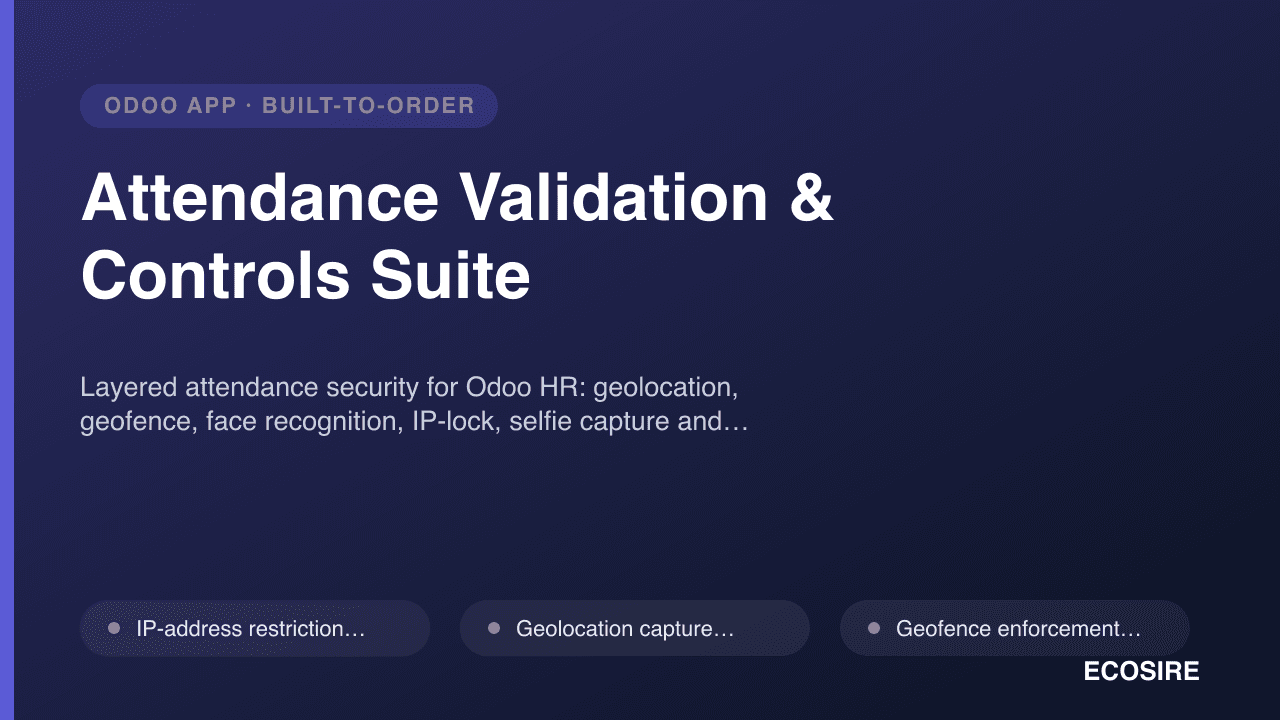
Attendance Validation & Controls Suite
Layered attendance security for Odoo HR: geolocation, geofence, face recognition, IP-lock, selfie capture and reason logging.
Asterisk / FreePBX VoIP CTI Connector
Click-to-dial, screen-pop and call logging between Asterisk/FreePBX and Odoo CRM. Built, installed and supported by ECOSIRE.
- Click-to-dial button on any res.partner, crm.lead, helpdesk.ticket or sale.order record — originates the call through Asterisk/FreePBX to the agent's extension or softphone
- Inbound caller screen-pop: matches caller ID against res.partner and crm.lead phone/mobile fields and opens the record automatically the moment the extension rings
- Automatic call logging to a dedicated Odoo call-log model (direction, duration, extension, queue/ring-group, disposition, timestamps) linked back to the CRM record
- Built-in browser softphone dialer with dial-pad, recents list, answer/hangup/hold/transfer controls, rendered as an OWL component in the Odoo web client