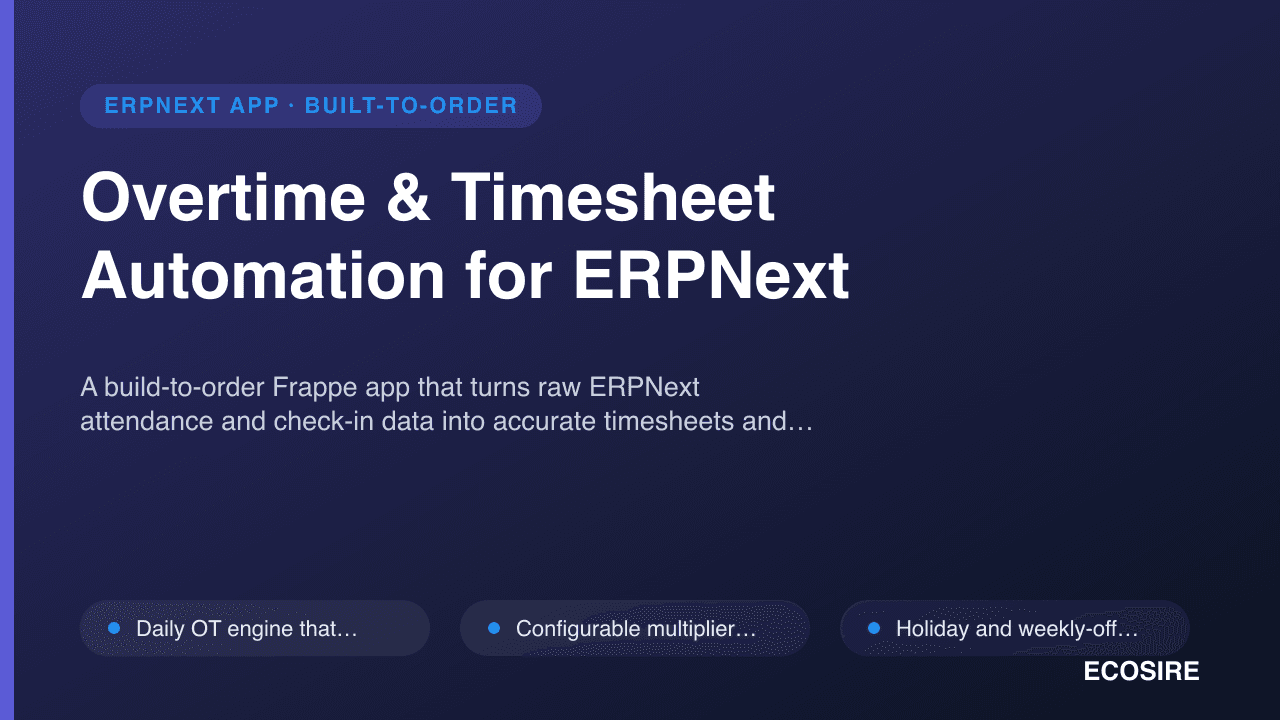
 Illustrative preview
A build-to-order Frappe app that turns raw ERPNext attendance and check-in data into accurate timesheets and
rule-based overtime slips (1.5x weekday, 2.0x holiday), then posts approved OT to payroll as Additional Salary.
ECOSIRE builds, installs, and supports it for your v15/v16 site.
What is Overtime & Timesheet Automation for ERPNext?
A build-to-order Frappe app that turns raw ERPNext attendance and check-in data into accurate timesheets and rule-based overtime slips (1.5x weekday, 2.0x holiday), then posts approved OT to payroll as Additional Salary. ECOSIRE builds, installs, and supports it for your v15/v16 site. Built to order by ECOSIRE for ERPNext v15, v16 — indicative price from $999.00 USD; request a quote for a scoped proposal.
Key Features
Built to order, done for you
No DIY setup — a working app, built, installed and supported by ECOSIRE.
- 1
You order
Start with a one-time build price. We scope it with you at kickoff.
- 2
We build & install
ECOSIRE builds, configures and installs it on your ERPNext.
- 3
Go live + support
You go live in about one working week, with two weeks of go-live support. Defects in the code we deliver are fixed free of charge.
Technical Specifications
- ERPNext Compatibility
- —
- License
- Licence confirmation required
- Python Requirement
- Python 3.10+
- Database
- MariaDB 10.6+
About this Product
Factories and service firms running payroll on ERPNext keep hitting the same wall at month-end: attendance and Employee Checkin records capture when people clocked in and out, but nobody actually gets paid overtime from them automatically. ERPNext core has Timesheet and Additional Salary DocTypes, and the payroll engine will read salary components, but there is no native bridge that reads a day's check-in pairs, subtracts the standard shift, applies a weekday-vs-holiday multiplier, and produces an auditable OT figure. So teams fall back to spreadsheets — HR keys overtime hours by hand, supervisors argue over what counts as a holiday, and the numbers that hit the salary slip are impossible to trace back to the clock. On a 200-person factory floor that is both a payroll-accuracy risk and hours of avoidable admin every cycle.
We build a dedicated Frappe app (its own module, installed onto your bench) that closes that gap. A scheduler event and a hooks.py doc event on Employee Checkin/Attendance roll each employee's daily punches into worked hours, compare them against the assigned Shift Type and the standard working window, and split the excess into overtime buckets. A configurable rule engine — driven by a custom Overtime Rule DocType plus the ERPNext Holiday List and each employee's weekly-off — decides the multiplier: 1.5x for weekday overtime and 2.0x for work on holidays and rest days, with your own thresholds, rounding, and daily/weekly caps. Each computation is written to a custom Overtime Slip DocType and, where you want it, an auto-generated Timesheet with the right Activity Type and costing rate, so the same source data feeds both payroll and project costing.
Approvals and payroll posting are handled the ERPNext way. The Overtime Slip runs through a Frappe Workflow (Draft → Submitted → Approved/Rejected) with role-based permissions, and on approval a server script creates the matching Additional Salary record against the correct salary component and payroll period, so overtime flows into the next Salary Slip with no manual re-entry and a clean audit trail from clock-in to pay line. Client scripts surface a live OT preview on the form; whitelisted methods expose the calculations over the Frappe REST API so a kiosk, mobile app, or biometric integration can push check-ins and read back OT figures. Everything respects your role profiles, and the scheduler recalculation is idempotent so re-runs never double-count.
Because this is build-to-order, nothing is downloaded and dropped onto your production site blind. We start with a short scoping call to confirm your shift patterns, multiplier rules, holiday and rest-day logic, salary components, and which flows need timesheets versus OT-only. We then build the app against your exact ruleset, install and validate it on a staging copy of your ERPNext v15 or v16 site, run UAT with your HR and payroll teams on real attendance data, and only then cut over to production with a rollback plan in hand. Typical delivery is one working week from confirmed scope, and you receive the full source and git repository so nothing is locked to us.
What you get
- Installable source code for your commissioned version of the app, built for Frappe/ERPNext v15 or v16
- Installation and configuration on your staging and production sites, including scheduler and workflow setup
- Technical documentation: DocType reference, hooks and scheduler events, REST API methods, and rule configuration
- User guide plus a live training session for HR and payroll staff
- UAT on a staging copy with your real attendance data, plus a documented rollback plan for cutover
- Post-go-live support window for defect fixes and configuration adjustments
- Full git repository handover so the code is yours and not locked to ECOSIRE
- Configured `Overtime Rule` set matching the shift, holiday, and multiplier logic agreed during scoping
Who this is for
Factory HR & Payroll Manager
Runs monthly payroll on ERPNext for a large hourly workforce and needs overtime computed straight from the clock, not re-keyed from spreadsheets, with every pay line traceable back to check-in data.
Manufacturing Operations Lead
Approves shift overtime for the floor and wants supervisor sign-off, holiday and rest-day rules, and OT cost visibility by department without chasing HR for numbers.
Service Firm Finance Controller
Bills client work from timesheets and pays technicians overtime; needs one source of attendance data to feed both project costing and the payroll `Additional Salary` line accurately.
ERPNext System Administrator
Maintains the company's Frappe bench and wants a clean app with proper hooks, idempotent scheduler jobs, role permissions, and a git repo they can maintain and upgrade across v15/v16.
How Overtime & Timesheet Automation for ERPNext Compares
| Criterion | ECOSIRE | Custom Build | Competitor | ERPNext Native |
|---|---|---|---|---|
| Overtime calculation | Auto 1.5x/2.0x from check-in data via rule engine | Possible but you design and build the whole engine | Fixed logic, often single flat multiplier | No native OT-from-attendance calculation |
| Timesheet from attendance | Auto-generated with Activity Type and costing rate | Buildable at extra effort and cost | Rarely bundled with OT features | Timesheets exist but not driven from check-ins |
| Payroll posting | On-approval Additional Salary to correct component | You wire the workflow-to-payroll link yourself | May export values for manual entry | Manual Additional Salary entry per employee |
| Holiday & rest-day rules | Uses Holiday List + weekly-off, configurable caps | Depends on developer's implementation | Limited or hard-coded holiday handling | No OT-specific holiday multiplier logic |
| Fit to your rules | Built to your exact shifts, thresholds, and caps | Fully custom but you carry full build risk | Configure within the vendor's fixed feature set | Constrained to core fields and behavior |
| Version support | Built and tested for your v15/v16 bench | Whatever you target and maintain | Vendor's supported versions, upgrade on their cycle | Ships with your ERPNext release |
| Delivery & validation | one working week, staging UAT + rollback plan | Timeline depends on your team's capacity | Instant install but no fit validation | Already installed, but gap remains unsolved |
| Ownership & support | Full source, git handover, post-go-live window | You own it and own all the maintenance | Vendor-locked, subscription support | Core support only, no OT feature to support |
Frequently Asked Questions about Overtime & Timesheet Automation
How long does delivery take?
This is a build-to-order app, not an instant download. Typical delivery is one working week from confirmed scope. After a short scoping call to lock your shift patterns, multiplier rules, and payroll components, we build against your exact requirements, validate on staging, run UAT, and then cut over to production.
How does overtime actually get calculated?
A scheduler event and doc events on `Employee Checkin`/`Attendance` roll each day's punches into worked hours, subtract the assigned `Shift Type` window, and split the excess into OT buckets. A configurable `Overtime Rule` DocType applies 1.5x for weekday overtime and 2.0x for holidays and rest days, using the employee's `Holiday List` and weekly-off, with your own thresholds, rounding, and caps.
Does overtime flow into payroll automatically?
Yes. Each `Overtime Slip` runs through a Frappe Workflow with role-based approval. On approval, a server script posts an `Additional Salary` record to the correct salary component and payroll period, so the OT appears on the next Salary Slip with no manual re-entry and a clean audit trail from clock-in to pay line.
Which ERPNext versions are supported?
We build for Frappe/ERPNext v15 and v16. We confirm your exact bench version during scoping and build and test against a staging copy of your site so the app matches your environment.
What about support and updates after go-live?
Every engagement includes a post-go-live support window for defect fixes and configuration tweaks. Because you receive the full source and git repository, you can maintain it in-house, and we offer ongoing support or upgrade engagements for future ERPNext versions and rule changes on request.
Can it integrate with our biometric or mobile check-in devices?
Yes. The app exposes whitelisted methods over the Frappe REST API to push check-ins and read back OT figures, so biometric terminals, kiosks, or mobile apps can feed attendance and consume overtime data. Integration to a specific device is part of the scoped work.
Can it also generate timesheets, not just overtime?
Yes. Where you need it, the app auto-generates `Timesheet` records from attendance with the correct `Activity Type` and costing rate, so the same check-in data feeds both project costing and overtime pay. You decide during scoping which flows are OT-only and which also produce timesheets.
Related Modules
Offline-First POS for ERPNext
A resilient point-of-sale for ERPNext that keeps checkout running during internet outages and safely reconciles invoices, stock and payments the moment connectivity returns. Built, installed and supported by ECOSIRE on a build-to-order basis.
Oman E-Invoicing (VAT) for ERPNext
A build-to-order ERPNext app that generates and submits Oman VAT e-invoices aligned to the OTA phased mandate, with 5% VAT tax templates, POS integration, and multi-company status tracking. ECOSIRE scopes, builds, installs, and supports it for your instance.
Pakistan FBR Digital Invoicing & POS for ERPNext
A build-to-order Frappe app that connects your ERPNext Sales Invoices and Point of Sale directly to Pakistan's FBR Digital Invoicing system for real-time fiscalization, invoice reference numbers, QR codes, and validated tax fields. ECOSIRE builds, installs, and supports it after we confirm scope with you.
Overtime & Timesheet Automation
A build-to-order Frappe app that turns raw ERPNext attendance and check-in data into accurate timesheets and rule-based overtime slips (1.5x weekday, 2.0x holiday), then posts approved OT to payroll as Additional Salary. ECOSIRE builds, installs, and supports it for your v15/v16 site.
- Daily OT engine that rolls `Employee Checkin` pairs into worked hours and subtracts the assigned `Shift Type` window to isolate overtime
- Configurable multiplier rules via a custom `Overtime Rule` DocType: 1.5x weekday, 2.0x holiday/rest-day, with your own thresholds and caps
- Holiday and weekly-off resolution using the employee's ERPNext `Holiday List` and weekly-off to classify each OT hour
- Automatic `Timesheet` generation from attendance with the correct `Activity Type`, billing/costing rate, and project link where required