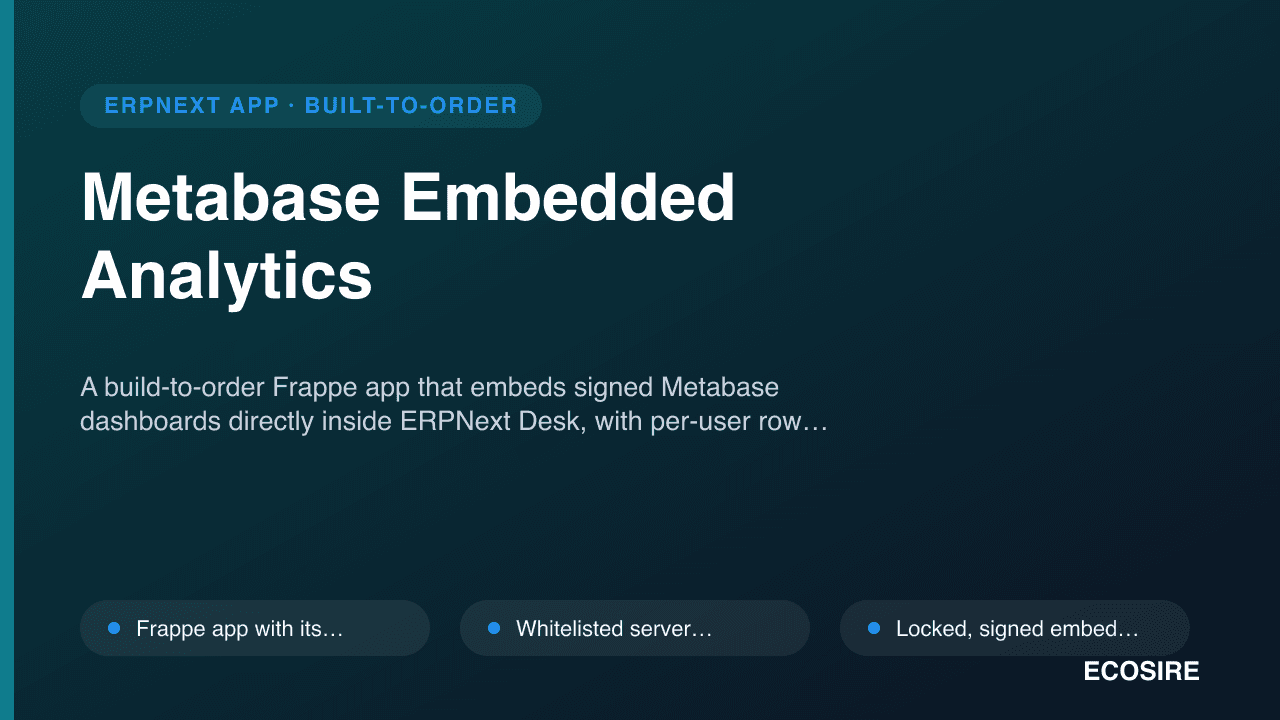
 Örnek önizleme
A build-to-order Frappe app that embeds signed Metabase dashboards directly inside ERPNext Desk,
with per-user row filtering, SSO pass-through, and one-click provisioning of governed read-only database access.
ECOSIRE scopes, builds, installs, and supports it for your ERPNext v15/v16 site.
Metabase Embedded Analytics nedir?
A build-to-order Frappe app that embeds signed Metabase dashboards directly inside ERPNext Desk, with per-user row filtering, SSO pass-through, and one-click provisioning of governed read-only database access. ECOSIRE scopes, builds, installs, and supports it for your ERPNext v15/v16 site. Built to order by ECOSIRE for ERPNext v15, v16 — indicative price from $999.00 USD; request a quote for a scoped proposal.
Temel Özellikler
Siparişe özel, sizin için baştan sona
Kendiniz kurmanıza gerek yok — ECOSIRE tarafından geliştirilen, kurulan ve desteklenen çalışır bir uygulama.
- 1
Sipariş verirsiniz
Tek seferlik geliştirme fiyatıyla başlayın. Kapsamı başlangıçta sizinle birlikte belirleriz.
- 2
Geliştirir ve kurarız
ECOSIRE, ERPNext ortamınızda geliştirir, yapılandırır ve kurar.
- 3
Yayına alma + destek
Yaklaşık bir iş haftasında yayına alırsınız; canlıya geçiş sonrası iki hafta destek dahildir. Teslim ettiğimiz koddaki hatalar ücretsiz düzeltilir.
Teknik Özellikler
- ERPNext Uyumluluğu
- —
- Lisans
- Lisansın doğrulanması gerekiyor
- Python Gereksinimi
- Python 3.10+
- Veritabanı
- MariaDB 10.6+
Bu Ürün Hakkında
Most ERPNext teams that adopt Metabase end up running two parallel worlds. Finance and ops live in ERPNext Desk all day, but every time someone needs a real dashboard — cohort trends, contribution margin, inventory ageing across warehouses — they alt-tab to a separate Metabase tab, log in again, and hope the filters they see match their ERPNext permissions. ERPNext's native Number Cards, Dashboard Charts, and Report Builder are fine for single-DocType counts and simple aggregates, but they run out of road on multi-join SQL, materialized models, drill-through, and the polished visual layer that Metabase gives you for free. The result is dashboard sprawl, duplicated access management, and BI that nobody trusts because the row-level scoping is done by hand.
This build-to-order app closes that gap by making Metabase a first-class citizen of ERPNext Desk. We build a proper Frappe app (its own module, DocTypes, and hooks.py) that renders your Metabase dashboards inside Desk workspaces via Metabase signed embedding — not a naked public iFrame. A whitelisted server method mints a short-lived, JWT-signed embed URL per request, injecting locked parameters derived from the logged-in ERPNext user: their company, allowed warehouses, cost centers, territory, or any dimension you nominate. Because the parameters are signed server-side and locked, a user physically cannot widen their own view by editing the URL. A Metabase Dashboard DocType acts as the catalog — each row maps a Metabase dashboard ID to an ERPNext workspace, a set of allowed Role Profiles, and the parameter-to-permission mapping — so adding or retiring a dashboard is a data change, not a redeploy.
Technically, the app leans on the parts of Frappe that are built for exactly this. Access is gated through standard ERPNext permissions and Role Profiles, so the dashboard catalog respects the same roles as the rest of your site. A one-click "provision read-only access" action calls a whitelisted method that creates and grants a least-privilege, read-only Postgres/MariaDB user scoped to the reporting views Metabase should see — no more hand-editing pg_hba or sharing the site's app credentials with the BI tool. SSO pass-through means a user already authenticated in ERPNext lands in the embedded dashboard without a second login prompt. Optional hooks.py doc events and scheduler_events can trigger Metabase cache refreshes or sync new users into a Metabase group when their ERPNext role changes. Everything is exposed cleanly through the Frappe REST API and whitelisted methods, and the whole app targets Frappe/ERPNext v15 and v16.
Because this is build-to-order, nothing ships until we agree on scope. It starts with a short scoping call where we map which dashboards go where, which ERPNext dimensions drive the signed filters, and how read-only access should be provisioned against your database and Metabase instance. From confirmed scope, typical delivery is one working week: we build on a staging copy of your site, run UAT with your team against real dashboards and real permissions, and only then install on production behind a rollback plan. You receive the full source, a git repo handover, install and configuration docs, a user guide, a training session, and a post-go-live support window — so your team owns and can extend the app, not just rent it.
Ne elde edeceksin
- Installable source code for your version of the app, pinned to your Frappe/ERPNext v15 or v16 site
- Installation and configuration: app install on your bench, Metabase connection and signing-key setup, and dashboard catalog seeding
- Technical documentation covering the DocTypes, whitelisted methods, `hooks.py` events, and the read-only provisioning flow
- User guide plus a live training session for admins and dashboard consumers
- Post-go-live support window for defect fixes and configuration questions
- UAT on a staging copy of your site with a documented rollback plan before production install
- Git repository handover with full commit history so your team can maintain and extend the app
- Signed-embedding and least-privilege database-access hardening notes so your security team can review the access model
Bu kimin için
ERPNext admin already running Metabase
Manages the ERPNext site and a separate Metabase instance and is tired of maintaining two access models. Wants dashboards inside Desk with permissions driven by ERPNext roles, and read-only DB access provisioned without handing Metabase the site's app credentials.
Finance or operations lead who lives in Desk
Needs contribution margin, cash-flow, and inventory-ageing dashboards richer than native Number Cards, but refuses to make the team learn a second tool or log in twice. Wants the polished Metabase visuals to appear where they already work.
Data or BI analyst building the models
Owns the Metabase questions and models and needs a reliable, least-privilege read-only connection plus signed per-user filters, so the dashboards they publish are automatically scoped to each ERPNext user's company and warehouses.
IT security reviewer
Must sign off on how BI reaches production data. Wants signed embedding instead of public links, short-lived tokens, a scoped read-only DB user, and an audit trail of dashboard access tied to ERPNext identities.
Metabase Embedded Analytics Nasıl Karşılaştırılır
| Kriter | ECOSIRE | Özel Yapı | Rakip | ERPNext Yerleşik |
|---|---|---|---|---|
| Dashboards inside ERPNext Desk | Signed Metabase dashboards embedded in Desk workspaces | Possible but you design the embed and catalog yourself | Usually a standalone report page, not true Desk embedding | Only native Number Cards and Dashboard Charts |
| Per-user row filtering | Locked signed parameters from ERPNext user permissions | Hand-built and easy to get wrong | Often global filters, not per-user locked | Limited to native permission-scoped charts |
| Embed security | Short-lived JWT-signed embeds, no public links | Depends entirely on your implementation | Frequently relies on public or static iFrame URLs | Not applicable — no external BI embedding |
| Read-only DB provisioning | One-click least-privilege scoped read-only user | Manual DBA work each time | Typically out of scope — you wire it yourself | None |
| SSO pass-through | No second login from an authenticated Desk session | You build the SSO bridge yourself | Often a separate Metabase login | Not applicable |
| Version support | Built and UAT-tested on your v15/v16 site | You own all version testing | May lag ERPNext releases | Ships with ERPNext core |
| Ownership and extensibility | Full source and git repo handover | You own it but carry the full build cost | Closed source, vendor-locked | Core code, not app-specific |
| Delivery and support | one working week, UAT + rollback + support window | Timeline and support depend on internal capacity | Instant install, generic forum support | Immediate but no BI capability to support |
Metabase Embedded Analytics hakkında Sıkça Sorulan Sorular
Is this an existing app I can download and install today?
No. It is build-to-order. ECOSIRE scopes, builds, installs, and supports a version tailored to your ERPNext site, your Metabase instance, and your specific dashboards and permission model. There is no instant download.
How long does delivery take?
Typical delivery is one working week from confirmed scope. The initial scoping call sets exactly which dashboards, which ERPNext dimensions drive the signed filters, and how read-only access is provisioned; the timeline then depends on the number of dashboards and the complexity of the permission mapping.
How do you keep users from seeing data outside their permissions?
The app uses Metabase signed embedding. A whitelisted server method mints a short-lived JWT-signed embed URL and injects locked parameters — company, warehouse, cost center, territory — derived from the logged-in ERPNext user. Because the parameters are signed and locked server-side, a user cannot edit the URL to widen their view. Access to each dashboard is additionally gated by ERPNext Role Profiles.
Does Metabase get direct access to my ERPNext database?
Only through a least-privilege, read-only database user that the app provisions in one click, scoped to the reporting views Metabase needs. Your site's application credentials are never shared with Metabase, and the access model is documented for your security team to review.
Which versions of Frappe and ERPNext are supported?
The app targets Frappe/ERPNext v15 and v16. We build against your exact site version on a staging copy and confirm compatibility during UAT before touching production.
What happens after go-live for support and updates?
You receive a post-go-live support window for defect fixes and configuration questions, plus a full git repo handover with source and history so your team can maintain and extend the app. Ongoing enhancements or a longer support retainer can be arranged separately.
Do users have to log in to Metabase separately?
No. SSO pass-through means a user already authenticated in ERPNext opens the embedded dashboard inside Desk without a second login prompt.
İlgili Modüller
Mautic Marketing Automation Connector for ERPNext
A build-to-order Frappe app that keeps ERPNext CRM and Mautic in lock-step — two-way contact and lead sync, segment and tag mapping, event-triggered campaigns, and engagement data flowing back to your ERPNext records. ECOSIRE scopes, builds, installs and supports it on your Frappe/ERPNext v15/v16 site.
Meeting Scheduler & Calendar Booking for ERPNext
Calendly-style public booking pages that sync two-way with ERPNext, Google, and Outlook calendars, then auto-create CRM activities, link Leads, and fire WhatsApp, SMS, and email reminders. Built to order by ECOSIRE for ERPNext v15/v16.
Mexico CFDI E-Invoicing (FacturAPI) for ERPNext
A build-to-order ERPNext app that stamps SAT-compliant CFDI 4.0 invoices through FacturAPI/PAC, validates the SAT catalogs, and handles complemento de pago and cancellation flows end to end. ECOSIRE builds, installs, and supports it after a scoping call.
Mind Map & Visual Planning
An interactive mind-map editor built natively into Frappe Desk for project planning and brainstorming, with nodes that link straight to your ERPNext DocTypes and tasks. ECOSIRE builds, installs, and supports it for your environment.
Metabase Embedded Analytics
A build-to-order Frappe app that embeds signed Metabase dashboards directly inside ERPNext Desk, with per-user row filtering, SSO pass-through, and one-click provisioning of governed read-only database access. ECOSIRE scopes, builds, installs, and supports it for your ERPNext v15/v16 site.
- Frappe app with its own module and `hooks.py` that renders Metabase dashboards inside ERPNext Desk workspaces via signed embedding, not a public iFrame
- Whitelisted server method mints short-lived JWT-signed Metabase embed URLs per request, so tokens expire and cannot be replayed
- Locked, signed embed parameters derived from the logged-in ERPNext user (`company`, warehouse, cost center, territory) — users cannot widen their view by editing the URL
- `Metabase Dashboard` catalog DocType maps each Metabase dashboard ID to an ERPNext workspace, allowed Role Profiles, and a parameter-to-permission mapping