 Örnek önizleme
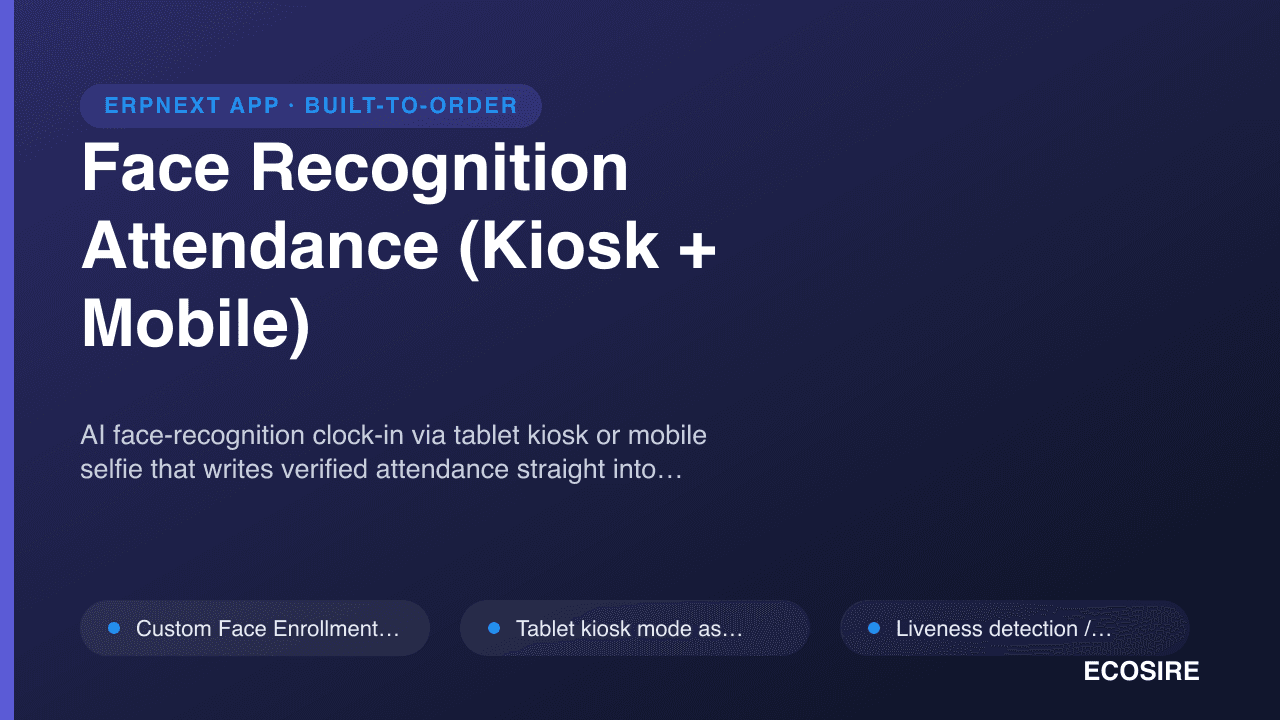
AI face-recognition clock-in via tablet kiosk or mobile selfie that writes verified attendance straight into
ERPNext HR. A ready-to-install Frappe app that
ECOSIRE installs, commissions, and supports for your team.
Face Recognition Attendance (Kiosk + Mobile) nedir?
AI face-recognition clock-in via tablet kiosk or mobile selfie that writes verified attendance straight into ERPNext HR. A ready-to-install Frappe app that ECOSIRE installs, commissions, and supports for your team. One-time license from $499.00 USD for ERPNext 16 — includes 12 months of updates and support.
Temel Özellikler
Kuruluma genel bakış
- 1
ECOSIRE'dan indirin
Lisansı ecosire.com adresinden satın alın ve hesap kontrol panelinizden Face Recognition Attendance (Kiosk + Mobile) uygulamasının ZIP dosyasını indirin.
- 2
Uygulamayı bankınıza ekleyin
ZIP dosyasını tezgahınızın uygulamalar klasörüne çıkarın veya çıkarılan uygulamanın yolunu içeren "bench get-app" komutunu çalıştırın.
- 3
Sitenize yükleyin
Face Recognition Attendance (Kiosk + Mobile) yüklemek ve şemasını uygulamak için `bench --site SITE_NAME install-app APP_NAME` komutunu ve ardından `bench move'u çalıştırın.
- 4
Lisansınızı etkinleştirin
Sitenizdeki ECOSIRE Lisans ayarlarını açın ve lisans anahtarınızı etkinleştirin. Ücretsiz ecosire_connect ve ecosire_license_client uygulamalarını gerektirir.
Teknik Özellikler
- ERPNext Uyumluluğu
- ERPNext 16
- Lisans
- Lisansın doğrulanması gerekiyor
- Python Gereksinimi
- Python 3.10+
- Veritabanı
- MariaDB 10.6+
Bu Ürün Hakkında
Add consent-based face enrollment, mobile web check-in and paired kiosk attendance to ERPNext v16. The app creates native Employee Checkin records for your existing ERPNext and HRMS workflows.
Version 0.2.2 includes separate /face-checkin and /face-kiosk pages, company-aware enrollment and paired device controls. Matching and liveness use configurable heuristics; confidence settings are not measured accuracy guarantees or certified anti-spoofing protection. Validate the capture environment, permissions and attendance processing before rollout.
A paired kiosk supports a bounded offline queue of up to 200 captures for seven days. Pre-issued offline challenges provide weaker assurance and records can require HR review. Unpairing removes queued local data, so operators must monitor and reconcile pending captures.
The source package was verified on a fresh ERPNext v16 bench. Installation needs ERPNext, HRMS and approved model weights. Confirm deployment, enrollment, training and support arrangements for your site.
Ne elde edeceksin
- ERPNext v16 source package at version 0.2.2
- Setup, kiosk, mobile check-in and troubleshooting documentation
Bu kimin için
HR and attendance teams
Review enrollment, pending offline captures and native employee check-in records.
ERPNext administrators
Configure the v16 app, model files, permissions and paired devices before rollout.
Face Recognition Attendance hakkında Sıkça Sorulan Sorular
What is available, and how is installation arranged?
The source package targets ERPNext v16 with ERPNext and HRMS installed. Confirm server requirements, model setup, enrollment and rollout arrangements before deployment. Existing accepted installation, commissioning and support agreements remain unchanged.
How do face matching and liveness checks work?
Employees enroll with consent. The app compares a capture with enrolled embeddings and applies configurable matching and liveness heuristics. A confidence threshold is a setting, not a measured accuracy guarantee. The checks are not certified presentation-attack detection and cannot guarantee rejection of every spoof.
Does this replace ERPNext HR?
The app creates native Employee Checkin records. ERPNext and HRMS continue to handle shifts, attendance processing and payroll. Validate those workflows for your site during rollout.
What happens when a kiosk loses its connection?
A paired kiosk can queue up to 200 captures for up to seven days using pre-issued challenges. These captures have weaker assurance and can require HR review. Unpairing clears local data. Operators should monitor and reconcile pending records; offline capture does not guarantee against data loss.
Which versions and interfaces are verified?
Version 0.2.2 was tested on a fresh ERPNext v16 bench. The app provides a separate mobile web check-in page and a paired kiosk page. It does not add an attendance tile to the separate Frappe HR mobile application. Other versions require compatibility review.
What biometric data and models are required?
Enrollment stores face embeddings. Setup requires approved model weights, employee consent and appropriate access controls. Review retention, browser/device security and local biometric requirements before enabling collection.
İlgili Modüller
Excel Import/Export Pro for ERPNext
A build-to-order ERPNext app that exports any DocType to formatted, multi-sheet Excel workbooks with saved field presets and formulas, and imports back with validation and field mapping. ECOSIRE scopes, builds, installs, and supports it for finance and ops teams who live in Excel.
Exotel & Cloud Telephony CTI for ERPNext
A cloud-telephony CTI that connects Exotel (and compatible providers) to ERPNext CRM — inbound screen-pop with caller context, click-to-dial from any record, and automatic call logging with recording links. Built to your call-center workflow, installed on your bench, and supported by ECOSIRE.
Fawry Gateway for ERPNext
A build-to-order Fawry payment integration for ERPNext that lets Egyptian merchants accept cards, mobile wallets, valU installments, and reference-code cash payments at 200k+ outlets — with automatic webhook reconciliation into your Sales Invoices. ECOSIRE builds, installs, and supports it on your bench.
Field Service Mobile PWA
An offline-first Progressive Web App that lets field technicians view assigned jobs, capture photos and customer signatures, and check in by GPS, then sync everything back into ERPNext. Built to order, installed and supported by ECOSIRE.
Face Recognition Attendance hakkında bir ECOSIRE uzmanıyla konuşun
Özel bir teklif alın, canlı bir demo alın veya uygunluğun değerlendirilmesine yardımcı olun.