Passer au contenu principal
Zoho OneSpecialized Solutions

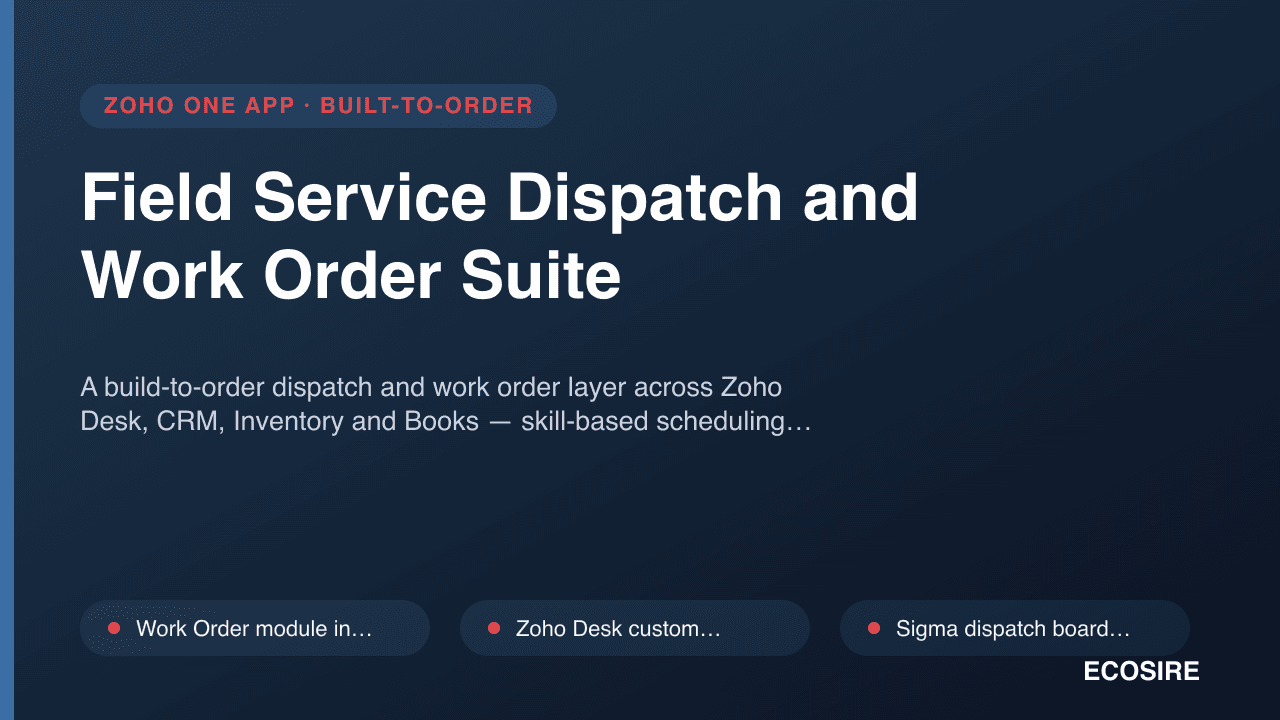
Field Service Dispatch and Work Order Suite

A build-to-order dispatch and work order layer across Zoho Desk, CRM, Inventory and Books

— skill-based scheduling, mobile job sheets and parts consumption that reaches the invoice.

Sur commande

Qu'est-ce que Field Service Dispatch and Work Order Suite ?

A build-to-order dispatch and work order layer across Zoho Desk, CRM, Inventory and Books — skill-based scheduling, mobile job sheets and parts consumption that reaches the invoice. Built to order by ECOSIRE for Zoho One (build-to-order) — indicative price from $999.00 USD; request a quote for a scoped proposal.

Field Service Dispatch and Work Order Suite — A build-to-order dispatch and work order layer across Zoho Desk, CRM, Inventory and Books — skill-based scheduling, mobile job sheets and parts consumption that reaches the invoice

What we build

  • Work Order module in Zoho CRM or Zoho Creator with asset, service type, required skills, SLA and scheduled window
  • Zoho Desk custom function that creates a Work Order from a ticket and writes status back on completion
  • Sigma dispatch board widget showing unassigned work against a technician timeline with SLA-risk sorting
  • Deluge technician scoring on skills and certifications, existing commitments, leave from Zoho People, and distance from the prior job
  • Explainable assignment — the dispatcher sees why a technician ranked where they did and can override every factor
  • Zoho Creator mobile job sheet with travel and arrival stamps, service-type checklists, photos and signature capture
  • Offline-tolerant mobile forms with a defined reconciliation and conflict-handling rule on reconnect
  • Parts consumption posting against van warehouses in Zoho Inventory through the Inventory REST API
  • Van minimum-stock alerting and replenishment transfer requests raised from consumption data
  • Invoice creation in Zoho Books via the Invoices API with labour, parts, travel and callout lines and correct GST/VAT treatment
  • Service contract coverage logic that records zero-value covered jobs instead of raising an invoice
  • Scheduled Deluge generation of preventive maintenance work orders from asset service intervals and contract terms

À propos de ce produit

The problem

A service ticket and a dispatched job are not the same object, and most Zoho deployments try to make one do the work of both. A ticket in Zoho Desk knows a customer and a complaint. It does not know which technician holds the right certification, who is already committed at 2pm on Thursday, who is twenty minutes away rather than two hours, which van has the part on board, or what the customer signed for on site. So dispatch happens in a shared calendar or a spreadsheet, the technician phones in what they used, someone re-keys it into Zoho Inventory a few days later if they remember, and the invoice goes out with the labour hours guessed and the parts under-recovered.

The cost is not just admin. It is unbilled parts, unbilled overtime, second visits because the wrong person was sent, and no defensible record when a customer disputes what was done.

This suite is built to order. ECOSIRE scopes it against your service catalogue, your skills matrix and your Zoho org, then builds and installs it — there is no ready-made package to download.

What ECOSIRE builds

Work orders as first-class records

Work Orders live either as a custom module in Zoho CRM or as a Zoho Creator application, depending on where your service data already sits — we decide that in scoping, not by default. A Work Order carries the customer, the asset or installation being serviced, the service type, required skills, SLA target, scheduled window, assigned technician, status, and links back to the originating Zoho Desk ticket. Deluge validation enforces the status transitions you actually use rather than a generic lifecycle.

Desk remains the customer-facing conversation. A custom function on the Desk ticket creates the Work Order with contact, asset and description carried across; when the Work Order completes, the ticket is updated and, if you want it, resolved automatically.

Scheduling on skill, availability and proximity

The dispatch board is a Sigma widget rendering unassigned work orders against a technician timeline. Assignment is assisted by a Deluge scoring function that ranks candidate technicians on three inputs: whether they hold the skills and certifications the service type requires, whether they have a free slot of sufficient duration accounting for existing jobs and any leave drawn from Zoho People, and how far their previous job or home base is from the site — computed from stored coordinates or by calling a geocoding endpoint you supply credentials for. The dispatcher sees the ranking and the reason for it, and can override any of it. We do not build a black box that assigns jobs nobody can explain.

SLA breach risk is calculated against the Desk ticket's SLA and surfaced on the board so at-risk jobs sort to the top.

Mobile job sheets

Technicians work in a Zoho Creator mobile application: today's assigned jobs, travel start and arrival stamps, a checklist driven by the service type, fault and resolution notes, photographs into file fields, parts consumed, labour time, and a customer signature capture field. Offline capture matters on plant rooms and basements, so forms are designed for the Creator mobile offline behaviour and reconciled on reconnect, with conflict handling defined during scoping.

Parts, stock and the invoice

Parts consumed on a job draw against the technician's van as a warehouse location in Zoho Inventory. Confirming consumption posts an inventory adjustment or transfer through the Zoho Inventory REST API, so van stock is a real balance rather than an assumption, and a reorder alert can fire when a van drops below its defined minimum.

On work order completion a Deluge function assembles the billable position — labour at the contracted rate or included under a service contract, parts at the customer's price list, travel and callout charges — and creates the invoice in Zoho Books through the Invoices API with the correct tax rates and GST/VAT treatment for the Books organization. Contract-covered work produces a zero-value job record instead of an invoice, so coverage is still evidenced.

Contracts, assets and preventive maintenance

Assets are tracked with install date, warranty end and service history. Service contracts define coverage, included visits and response times. A scheduled Deluge function generates preventive maintenance work orders ahead of their due date so planned work enters the same dispatch board as reactive work and competes for the same capacity honestly.

Who it is for

HVAC, electrical, lift, medical equipment, IT infrastructure and industrial maintenance firms running roughly five to a hundred field technicians, already on Zoho Desk or Zoho CRM, who need dispatch and parts consumption to reach accounting without re-keying. It fits organisations where the technician's skill set genuinely constrains who can attend; if any technician can do any job, the scheduling layer is more machinery than you need.

How delivery works

Scoping call. We map your service types to required skills, review your SLA definitions, your Inventory warehouse structure including whether vans are already modelled, your price lists and your contract terms.

Fixed quote. A written scope listing every module, function, widget and integration, with timeline and fixed price. Work begins only on your approval.

Build. one working week for a typical scope. Built in a development environment against test data — never against your live Desk queue or live stock balances.

Install in test, then production. We deploy to your test environment, run a full week of real jobs in parallel with your current process, and compare the invoices the system would have raised against the ones you actually raised. Production migration follows your sign-off on that comparison, including roles, profiles and OAuth connections.

Support. A defined support window after go-live for defects and configuration tuning, with documentation and technician training included.
How delivery works

  1. 1

    Scoping call

    A short call to confirm the workflow, your platform version and where the integration boundaries sit.

  2. 2

    Fixed quote

    You receive a written scope and a fixed price. Nothing is built until you approve it.

  3. 3

    Build and test

    We develop against a copy of your configuration and test it there. Typically two to four weeks.

  4. 4

    Install and support

    Nous installons sur votre instance, vous remettons le code source et incluons deux semaines d'assistance après la mise en production. Les défauts du code que nous livrons sont corrigés gratuitement.

Ce que vous obtenez

  • All Work Order modules, layouts, forms and reports installed in your Zoho CRM, Creator and Desk environments
  • Deluge custom functions and the scheduling scoring logic, delivered as documented, readable source
  • The Sigma dispatch board widget, deployed and configured against your technician and skill data
  • Zoho Inventory and Zoho Books integrations configured with your warehouses, price lists, accounts and tax rates
  • Test-environment deployment plus a parallel-run comparison against one full week of your real jobs
  • Dispatcher, technician and administrator documentation covering scheduling, mobile capture and billing rules
  • Live training for dispatchers and a field-technician session, plus a defined post-go-live support window

Pour qui c'est

Dispatcher / Service Coordinator

Holds the entire schedule in their head and a whiteboard, and every emergency callout means manually working out who is free, qualified and nearby. The dispatch board ranks candidates on those three factors automatically while leaving the final call with the coordinator, so cover decisions survive them being on leave.

Field Technician

Writes job details on paper, phones the office for part numbers, and loses an hour a day to paperwork that gets re-keyed anyway. The mobile job sheet carries the checklist, asset history and van stock, captures the customer signature on site, and means the job is closed before they leave the car park.

Service Manager

Cannot answer what a job actually cost or how much van stock walked off site last quarter, and only finds out about SLA breaches when a customer complains. Labour, parts and travel land against each work order and flow into Books, and SLA risk is visible on the board while there is still time to act.

Comment Field Service Dispatch and Work Order Suite se compare

CritèreÉCOSIREConstruction personnaliséeConcurrentNatif Zoho One
Skill, availability and proximity based technician rankingInclusInclusInclusNon inclus
Explainable, overridable assignment rather than a fixed algorithmInclusPrise en charge partiellePrise en charge partielleNon inclus
Mobile job sheet with offline capture and signatureInclusPrise en charge partielleInclusPrise en charge partielle
Parts consumption drawing down van stock in Zoho InventoryInclusPrise en charge partiellePrise en charge partielleNon inclus
Automatic invoice creation in Zoho Books on completionInclusInclusPrise en charge partielleNon inclus
Contract coverage logic suppressing invoices for covered workInclusPrise en charge partiellePrise en charge partielleNon inclus
Stays inside your existing Zoho org and data modelInclusInclusNon inclusInclus
Source handed over with no license key or vendor lockInclusInclusNon inclusPrise en charge partielle

Questions fréquemment posées

How long before we can use it, and is anything pre-built?
Nothing is pre-built or downloadable. After the scoping call and your approval of a fixed written quote, a typical build runs one working week. That covers development, deployment to your test environment, and a parallel run against real jobs before anything touches production.
Which Zoho products and editions are supported?
The core needs Zoho Creator for the mobile job sheet, plus either Zoho CRM or Creator to hold work orders. Ticket integration needs Zoho Desk on an edition that allows custom functions; stock movement needs Zoho Inventory with API access; invoicing needs Zoho Books. Leave-aware scheduling additionally uses Zoho People if you have it, and falls back to a technician availability calendar if you do not. We verify your current editions against the agreed scope during scoping and state in writing if anything needs upgrading. ECOSIRE holds no vendor certification or partnership status.
Does the mobile app work without signal?
Zoho Creator's mobile application supports offline data entry, and we design the job sheet forms to work within those constraints — captured data queues locally and syncs on reconnect. What we agree explicitly during scoping is the conflict rule: what happens when a dispatcher reassigns a job while the technician is offline working on it. We do not pretend that case does not exist.
How does proximity-based scheduling get distance data?
Distance is calculated from stored site and technician coordinates. For straight-line estimates that needs nothing external. If you want real drive-time routing, that requires a mapping or routing service and its API credentials, supplied and paid for by you — we integrate against it but do not resell it, and we tell you the request-volume implications during scoping.
Can it handle both contract-covered and chargeable work?
Yes, and the distinction is decided at completion, not at dispatch. The completion function checks whether an active contract covers the asset and service type, whether included visits remain, and whether the work falls outside coverage. Covered work produces a zero-value job record for reporting; chargeable work and out-of-coverage overages produce a Books invoice.
What happens to our existing open tickets and scheduled jobs?
Open Desk tickets stay in Desk and can have work orders raised against them from day one. Scheduled future jobs are migrated during cut-over through a bulk import we build as part of delivery. Closed historical jobs are not recreated — asset service history can be loaded as a summarised import if you want it, which we scope and price separately.

Demander un devis

Décrivez vos besoins pour Field Service Dispatch and Work Order Suite et nous vous enverrons les tarifs, les options de licence et une proposition sur mesure, généralement sous un jour ouvré.

Aucun paiement maintenant. Ceci envoie une demande de devis à notre équipe — nous vous recontacterons par e-mail avec les tarifs et les prochaines étapes.

Se marie bien avec

Construction Project Management Application
Sur commande

Construction Project Management Application

A build-to-order construction management application on Zoho Creator, wired into Zoho Books, CRM and Projects. ECOSIRE scopes, builds and installs it in your Zoho org — nothing is pre-packaged.

À partir de 999.00 $Point de départ — chiffré selon votre périmètre
View specification
Equipment Rental Management Application
Sur commande

Equipment Rental Management Application

A Zoho Creator equipment rental application handling availability, reservations, deposits, check-out and return condition, and time-based invoicing into Zoho Books. Built to order for your fleet and rate card.

À partir de 999.00 $Point de départ — chiffré selon votre périmètre
View specification
Freight Forwarding and Customs Application
Sur commande

Freight Forwarding and Customs Application

A build-to-order Zoho Creator application for freight forwarders and customs brokers: job files, containers, HS codes, customs milestones and per-job profitability. Built into your Zoho org after a fixed quote.

À partir de 999.00 $Point de départ — chiffré selon votre périmètre
View specification
Gym and Membership Management Application
Sur commande

Gym and Membership Management Application

A build-to-order Zoho Creator application for gyms and fitness studios — memberships, freezes, class booking, trainer schedules and recurring dues tied into Zoho Books. Scoped and built for your operation.

À partir de 999.00 $Point de départ — chiffré selon votre périmètre
View specification