 Beispielhafte Vorschau
Pre-built Power BI dashboards for production throughput,
work-center utilization, schedule adherence, scrap and on-time delivery — built on your Business Central data and installed by
ECOSIRE as a per-tenant AL extension.
Was ist Manufacturing Power BI Analytics Pack?
Pre-built Power BI dashboards for production throughput, work-center utilization, schedule adherence, scrap and on-time delivery — built on your Business Central data and installed by ECOSIRE as a per-tenant AL extension. Built to order by ECOSIRE for Dynamics 365 BC (build-to-order) — indicative price from $999.00 USD; request a quote for a scoped proposal.
Hauptfunktionen
Auf Bestellung gebaut, komplett für Sie erledigt
Keine Selbsteinrichtung — eine funktionierende App, die von ECOSIRE erstellt, installiert und betreut wird.
- 1
Sie bestellen
Starten Sie mit einem einmaligen Entwicklungspreis. Den Umfang legen wir beim Kickoff gemeinsam fest.
- 2
Wir bauen & installieren
ECOSIRE erstellt, konfiguriert und installiert sie auf Ihrem Dynamics 365 Business Central.
- 3
Go-live + Support
Sie gehen in etwa einer Arbeitswoche live, mit zwei Wochen Go-live-Support. Fehler im von uns gelieferten Code beheben wir kostenlos.
Über dieses Produkt
The Manufacturing Power BI Analytics Pack gives operations analysts and plant managers a ready-made KPI layer over Dynamics 365 Business Central manufacturing data — without waiting months for a custom BI project or stitching exports together by hand.
This is a build-to-order product. After purchase, ECOSIRE builds a small per-tenant AL extension on your Business Central environment that exposes clean, report-ready API pages over your production data: production orders, prod. order routing lines, capacity ledger entries, work/machine centers, item ledger entries and subcontract purchase lines. We then connect a Power BI model to those endpoints over the Business Central OData v4 / REST API (or via the Dataverse virtual tables when your tenant uses the Power Platform connection), publish the dashboards, and wire scheduled refresh.
You receive dashboards for work-center utilization (current and historical load vs. capacity), finished-order breakdown with average production times, schedule adherence and on-time-to-promise, scrap, yield and rework, and subcontract cost and capacity. Every measure is documented so your team can extend it.
Because the data layer is shipped as an AL extension (not direct SQL into the BC database, which Microsoft prohibits online), it survives Business Central updates, respects your permission sets, and runs refresh through a Microsoft On-premises Data Gateway only where an on-prem source requires it. ECOSIRE installs it, validates the numbers against your standard BC manufacturing reports, hands over the .pbix and the extension source, and supports it. It is delivered and supported by ECOSIRE — not an instant AppSource download.
Was Sie bekommen
- Per-tenant Business Central AL extension (page extensions and dedicated API/OData query pages) installed on your environment
- Power BI .pbix file with the semantic model, documented DAX measures, and all five dashboard pages
- Scheduled refresh configured against your BC OData v4 endpoints, including On-premises Data Gateway setup if an on-prem source is involved
- Dedicated permission set shipped with the extension for the BI integration service account
- A short validation report reconciling the dashboard KPIs against your standard BC manufacturing reports
- Handover documentation: measure dictionary, refresh runbook, and AL source repository access
Für wen das ist
Operations Analyst
Wants ready-made manufacturing KPIs over Business Central data instead of building Power BI models from scratch — needs documented DAX measures they can extend and trust against the standard BC reports.
Plant / Production Manager
Needs a daily view of work-center utilization, schedule adherence and on-time delivery to spot bottlenecks and missed promise dates without waiting for IT to pull exports.
Business Central Administrator / IT Lead
Cares that BI access uses a proper per-tenant AL extension with its own permission set and update-safe API pages — not ad-hoc SQL or fragile exports — and that refresh is governed through the data gateway.
Wie Manufacturing Power BI Analytics Pack im Vergleich abschneidet
| Kriterium | ECOSIRE | Benutzerdefinierter Build | Konkurrent | Dynamics 365 Business Central nativ |
|---|---|---|---|---|
| Pre-built manufacturing KPIs (utilization, OTD, scrap, schedule adherence) ready on day one | Im Lieferumfang enthalten | Nicht im Lieferumfang enthalten | Teilweise Unterstützung | Nicht im Lieferumfang enthalten |
| Update-safe per-tenant AL extension (no direct SQL into the BC database) | Im Lieferumfang enthalten | Teilweise Unterstützung | Im Lieferumfang enthalten | Im Lieferumfang enthalten |
| KPIs validated and reconciled against your standard BC manufacturing reports | Im Lieferumfang enthalten | Teilweise Unterstützung | Nicht im Lieferumfang enthalten | Teilweise Unterstützung |
| Tailored to your routing, work centers and subcontract setup | Im Lieferumfang enthalten | Im Lieferumfang enthalten | Nicht im Lieferumfang enthalten | Teilweise Unterstützung |
| Power BI .pbix and full AL source handed over (no lock-in) | Im Lieferumfang enthalten | Im Lieferumfang enthalten | Nicht im Lieferumfang enthalten | Nicht im Lieferumfang enthalten |
| Installed and supported on your environment by the vendor | Im Lieferumfang enthalten | Teilweise Unterstützung | Teilweise Unterstützung | Nicht im Lieferumfang enthalten |
| Refresh governed via OData v4 connector / On-premises Data Gateway with a scoped permission set | Im Lieferumfang enthalten | Teilweise Unterstützung | Teilweise Unterstützung | Teilweise Unterstützung |
| Low cost and fast time-to-value vs. a full custom BI engagement | Im Lieferumfang enthalten | Nicht im Lieferumfang enthalten | Im Lieferumfang enthalten | Teilweise Unterstützung |
Häufig gestellte Fragen zu Manufacturing Power BI Analytics Pack
How long does delivery take after I purchase?
This is a build-to-order product, not an instant download. Typical delivery is 5 to 10 business days from the kickoff call. We need a Business Central user with extension-publish rights (or a sandbox plus production publish window) and a Power BI workspace. Most of the elapsed time is connecting to your tenant, validating the AL extension against your data, and reconciling KPIs with your standard BC manufacturing reports before handover.
What ongoing support and updates do I get?
ECOSIRE installs the extension, validates the numbers, and supports the delivered solution. Because the data layer is a per-tenant AL extension built against the supported Business Central API — not direct SQL — it survives BC monthly and major updates; if a future BC release changes a relevant table or API page, we patch the extension. You receive the .pbix and full AL source, so your team can extend measures independently. Larger changes (new dashboards, new KPI domains) are scoped as follow-on work.
Is this a Microsoft AppSource app I can install myself?
No. It is built, installed and supported by ECOSIRE directly on your Business Central environment as a per-tenant extension. There is no public AppSource listing and no self-service download — we deploy it to your tenant and hand over the source.
Does it read my Business Central database directly?
No. Direct SQL access to the Business Central database is not permitted online and is fragile on-prem. The pack ships an AL extension that exposes dedicated API/OData v4 query pages, and Power BI reads through those. This is update-safe and respects your permission sets.
Does it work with Business Central on-premises as well as online?
Yes. For Business Central online, Power BI connects to your OData v4 / API endpoints directly. For on-premises (or hybrid sources), refresh runs through a Microsoft On-premises Data Gateway, which we configure as part of delivery. The AL extension is the same in both cases.
Can the dashboards be scoped by plant or work center for different teams?
Yes. The Power BI model supports row-level security so you can scope dashboards by plant, work center, or responsibility center, and the extension's permission set keeps the BI service account limited to the manufacturing data it needs.
Verwandte Module
Manufacturing AI Copilot & Insights Agent
An AI assistant for your Business Central manufacturing data — ask production questions in plain English, get at-risk order alerts, daily shop-floor summaries, and concrete reschedule and replenishment recommendations. Built, installed, and supported by ECOSIRE as a per-tenant AL extension on your tenant.
Manufacturing Estimating & Quoting
A build-to-order Business Central extension that lets estimators cost custom and job-shop work by material, labor, machine, and overhead, apply markup and multi-tier pricing, track estimate-vs-actual variance, and convert winning quotes straight into production orders.
Meesho & JD.com Marketplace Connectors for Business Central
A build-to-order Business Central extension that syncs Meesho (India) and JD.com (China) marketplace orders, inventory, returns and settlements with your BC ledger — built, deployed and supported by ECOSIRE.
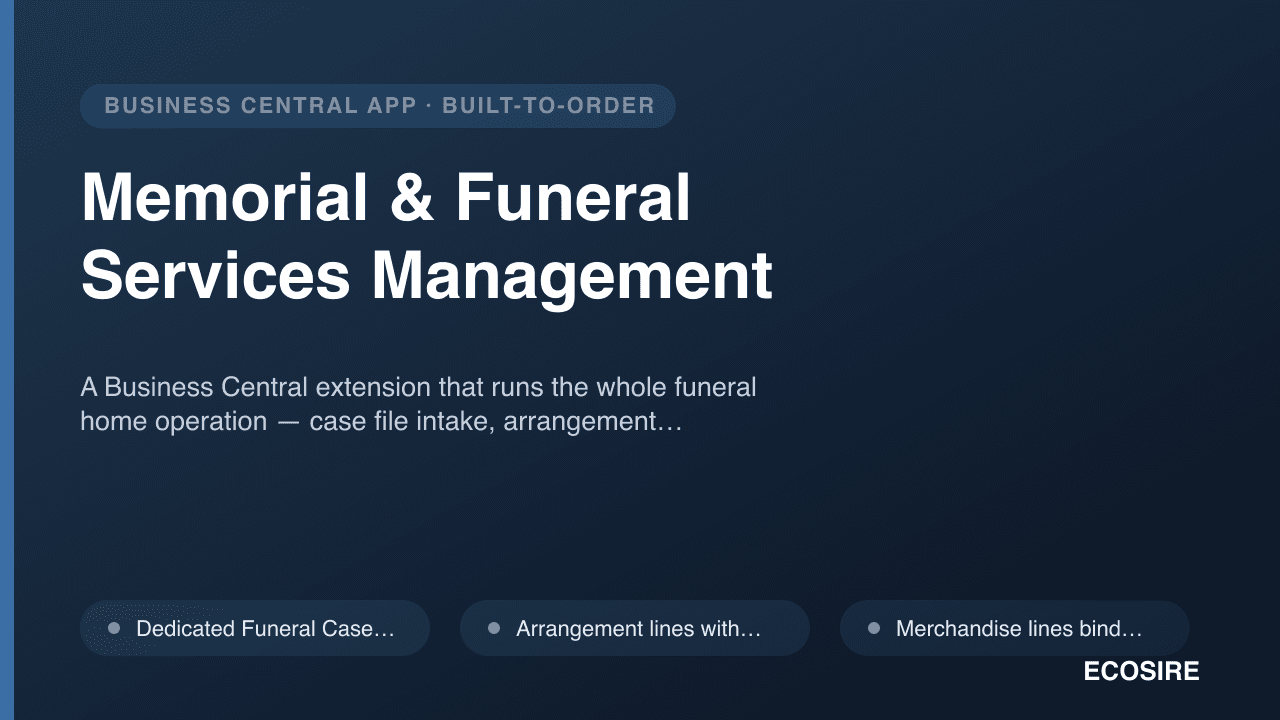
Memorial & Funeral Services Management
A Business Central extension that runs the whole funeral home operation — case file intake, arrangement conferences, service and merchandise selection, facility and staff scheduling, regulatory paperwork and family statements — on one record. Built to order by ECOSIRE for your Business Central tenant and your jurisdiction's rules.
Manufacturing Power BI Analytics Pack
Pre-built Power BI dashboards for production throughput, work-center utilization, schedule adherence, scrap and on-time delivery — built on your Business Central data and installed by ECOSIRE as a per-tenant AL extension.
- Work-center and machine-center utilization dashboard — current load vs. registered capacity plus historical trend, sourced from Capacity Ledger Entry and Calendar Absence data
- Finished production order breakdown with average production times, computed from Prod. Order Routing Line setup/run time vs. actual posted Capacity Ledger Entries
- Schedule adherence and on-time-to-promise measures comparing Prod. Order due dates and finished dates against original promise
- Scrap, yield and rework KPIs derived from Item Ledger Entry output, scrap quantities and consumption variances