 مثالی پیش منظر
Track vendor 1099-NEC and 1099-MISC amounts continuously inside Odoo instead of rebuilding them in a spreadsheet every January.
ECOSIRE builds, installs, and supports this module for your Odoo 17, 18, or 19 database after a scoping call.
USA 1099 & E-File Pack کیا ہے؟
Track vendor 1099-NEC and 1099-MISC amounts continuously inside Odoo instead of rebuilding them in a spreadsheet every January. ECOSIRE builds, installs, and supports this module for your Odoo 17, 18, or 19 database after a scoping call. Built to order by ECOSIRE for Odoo 17, 18, 19 — indicative price from $999.00 USD; request a quote for a scoped proposal.
اہم خصوصیات
آرڈر پر تیار، مکمل طور پر آپ کے لیے
خود سیٹ اپ کی ضرورت نہیں — ایک کام کرنے والی ایپ جو ECOSIRE بناتا، انسٹال اور سپورٹ کرتا ہے۔
- 1
آپ آرڈر دیتے ہیں
ایک بار کی تعمیر کی قیمت سے آغاز کریں۔ آغاز پر ہم آپ کے ساتھ مل کر دائرہ کار طے کرتے ہیں۔
- 2
ہم بناتے اور انسٹال کرتے ہیں
ECOSIRE اسے آپ کے Odoo پر بناتا، ترتیب دیتا اور انسٹال کرتا ہے۔
- 3
لائیو + معاونت
آپ تقریباً ایک کاروباری ہفتے میں لائیو ہو جاتے ہیں، گو لائیو کے بعد دو ہفتوں کی معاونت کے ساتھ۔ ہمارے فراہم کردہ کوڈ کی خرابیاں مفت درست کی جاتی ہیں۔
تکنیکی تفصیلات
- Odoo ہم آہنگی
- Odoo 17, Odoo 18, Odoo 19
- ایڈیشنز
- Enterprise اور Community
- لائسنس
- لائسنس کی تصدیق درکار ہے
- Python کی ضرورت
- Python 3.10+
- ڈیٹابیس
- PostgreSQL 12+
اس مصنوع کے بارے میں
Every January, the same scramble: a controller exports the vendor ledger, filters out corporations by hand, tries to remember which payments were reimbursements and which were fees, chases missing W-9s by email, and hand-types totals into a filing portal. Odoo core has no concept of a 1099. There is no W-9 status on res.partner, no box code on an account.move.line, no distinction between an amount billed and an amount actually paid in the calendar year, and no report that reconciles to what you are about to certify to the IRS. Off-the-shelf localization apps typically stop at a flat vendor payment list — they do not carry box mapping down to the line, do not handle a mid-year TIN correction, and do not produce a file a transmitter will accept.
What we build is a compliance layer that runs all year rather than a January report. On the vendor side we extend res.partner with W-9 fields — legal name, TIN and TIN type (EIN/SSN/ITIN), federal tax classification, backup-withholding flag, foreign-payee/W-8 marker, and a solicitation state with a document attachment — plus an @api.constrains TIN format check and a computed x_1099_status that tells you at a glance which payees are documented, which are missing paperwork, and which are exempt. Box mapping lives on a small usa.1099.box model seeded with the current NEC and MISC boxes and attached to product categories, expense accounts, and journal-item defaults, so a bill line inherits its box code without a bookkeeper thinking about it. An override field on the line and a wizard for bulk reclassification cover the exceptions.
The number that matters is cash paid in the calendar year, not invoiced, so aggregation walks account.partial.reconcile from vendor payments back to the bill lines that were settled — reimbursements, credit notes, and partially paid bills all land correctly, and payment-processor exclusions (card and third-party network payments reportable on 1099-K) are flagged out. A usa.1099.run model materializes a tax-year snapshot as usa.1099.line records with stored computed totals and @api.depends-driven recomputation while the run is in draft; confirming the run freezes it so later postings cannot silently change a figure you already filed. Thresholds are configurable per box rather than hard-coded, with a below-threshold view so you can still file voluntarily. Corrections are first-class: a confirmed run can be superseded by a correction run that records the original amount, the corrected amount, and the reason, and marks the recipient as a corrected filing. Output is an e-file-ready fixed-width IRS FIRE/IRIS-style export plus a validated CSV for your transmitter or CPA, and QWeb PDF recipient copies with a mail action that sends them to consenting payees. Security is real ir.model.access.csv plus record rules so 1099 data is visible to accounting managers, not to every internal user, and everything is reachable over XML-RPC/JSON-RPC if you drive it from an external tool.
The module targets Odoo 17.0, 18.0, and 19.0 and is built against Community, using only accounting features present in Community (account, account_payment) — no Enterprise-only dependency. If you run Enterprise we hook into the accounting dashboard and use its reporting UI where it helps, and if you already run l10n_us, we sit beside it rather than replacing your chart of accounts. Each __manifest__.py is pinned to your exact series, and we adapt to your existing customizations rather than assuming a clean database.
This is build-to-order, not a download. We start with a scoping call where we look at your vendor master, how bills and payments are actually entered, whether you file yourself or through a CPA or transmitter, and which boxes you genuinely use. From confirmed scope, typical delivery is one working week: we build on our own instance, install and configure on a staging copy of your database, run a UAT pass against a prior tax year you already know the answers to, then go live with a rollback plan. You receive the full source, a git repository, technical and user documentation, a training session, and a post-go-live support window. Nothing about filing is guesswork we ask you to trust — the reconciliation report shows every payment behind every box total.
What you get
- Installable Odoo source code for your exact series (17.0, 18.0, or 19.0), with a pinned `__manifest__.py` and no Enterprise-only dependency
- Installation and configuration on your environment: box mapping seeded, account and product-category defaults set, thresholds and filing entities configured
- Technical documentation covering the data model, computed fields and their `@api.depends` chains, security rules, export layouts, and extension points
- End-user guide plus a live training session for your accounting team: W-9 collection, box mapping, running a tax year, issuing corrections
- UAT on a staging copy of your database against a prior tax year with known figures, plus a documented rollback plan before go-live
- Post-go-live support window covering defect fixes and filing-season questions
- Git repository handover with full commit history, so your team or another partner can maintain the module
- Reconciliation and validation reports you can hand to your CPA or auditor as filing evidence
Who this is for
Controller at a US company with a large contractor base
Owns the January filing and personally carries the risk of a wrong or late 1099. Needs box totals that reconcile to the vendor ledger line by line, and evidence they can show a CPA rather than a spreadsheet assembled from memory.
Accounting manager or bookkeeper doing daily AP entry
Enters bills and payments all year. Wants box codes to default from the expense account or product category so classification happens at entry time, and a clear list of vendors still missing a W-9 well before December.
CFO or finance director at a multi-entity group
Files for several legal entities from one Odoo database. Needs per-company runs, record rules that keep TINs out of general staff view, and a frozen, auditable snapshot of exactly what was certified for each entity.
Outsourced CPA or accounting firm serving Odoo clients
Prepares filings on behalf of clients and needs a clean, validated export in the format their transmitter accepts, plus a drill-down report to answer client questions without opening the ERP transaction by transaction.
How USA 1099 & E-File Pack Compares
| Criterion | ECOSIRE | Custom Build | Competitor | Odoo نیٹو |
|---|---|---|---|---|
| Where 1099 classification happens | At entry time — box codes default from expense account and product category onto every bill line | Wherever your developer decides; usually retrofitted after the first painful season | Typically a January report over vendor payments, with no line-level box data | Nowhere — Odoo core has no box concept on journal items |
| Basis of the reported amount | Cash paid in the calendar year, traced through `account.partial.reconcile` to settled bill lines | Depends on the spec; accrual-vs-cash is the mistake most DIY builds make first | Usually a sum of vendor payments, without attribution back to bill lines | Vendor ledger totals only, mixing billed and paid |
| W-9 and TIN handling | Structured fields on `res.partner` with format constraints, solicitation state, document attachment, and a missing-paperwork filter | Buildable, but the validation and chase workflow are usually cut for time | Often a single free-text TIN field, unvalidated | No W-9 or TIN concept; teams use a note or a spreadsheet |
| Corrections after filing | Correction runs with original and corrected amounts, reason, and a corrected-filing marker in the export | Rarely scoped up front; typically handled manually outside the system | Usually re-run the report and hope nothing else moved | Not applicable |
| Point-in-time integrity | Confirmed runs are frozen so later postings cannot change a certified figure | Depends entirely on whether the developer anticipated it | Reports recompute live, so last year's numbers can drift | Any report recomputes from current data |
| Output format | IRS-format fixed-width e-file, validated transmitter CSV, and QWeb recipient copies with TIN masking | One format, built for the transmitter you used at the time | Commonly a CSV or on-screen list; recipient copies often absent | Generic spreadsheet export of the vendor ledger |
| Data security | `ir.model.access.csv` plus record rules scoping TINs to accounting roles, multi-company separated | As good as the developer's discipline; often menu-hidden rather than rule-enforced | Frequently readable by anyone with accounting access | No sensitive-field concept, because the fields do not exist |
| Cost, ownership, and maintenance | Fixed scoped build, full source and git repo handover, support window, annual updates quoted as small scoped work | Open-ended cost and a maintenance burden that stays with your team | Low licence cost, but you inherit the vendor's roadmap and gaps | Free — and the spreadsheet work that comes with it every January |
Frequently Asked Questions about USA 1099 & E-File Pack
How long does delivery take, and what happens first?
This is a build-to-order module, not an instant download. We begin with a scoping call to review your vendor master, how bills and payments are entered, which boxes you actually use, and whether you file directly or through a CPA or transmitter. From confirmed scope, typical delivery is one working week: build, install on a staging copy of your database, UAT against a prior tax year, then go live with a rollback plan. If you are approaching a filing deadline, say so at the scoping call and we will sequence the work around it.
Which Odoo versions do you support, and do I need Enterprise?
We build for Odoo 17.0, 18.0, and 19.0, targeting the exact series and edition you run. The module depends only on `account` and `account_payment`, which are in Community, so Enterprise is not required. If you do run Enterprise, we integrate with the accounting dashboard and reporting UI where it adds value. It coexists with `l10n_us` rather than replacing your chart of accounts.
Does this file with the IRS on my behalf?
No. The module produces e-file-ready output — a fixed-width IRS-format file and a validated CSV — plus printable and emailable recipient copies. Transmission goes through your own IRS FIRE/IRIS account, your CPA, or a filing service. We keep ECOSIRE out of the certification chain deliberately: you or your accountant remain the filer of record. We will match the export profile to whichever transmitter you use.
What happens if I discover an error after I have already filed?
Confirmed runs are frozen so later journal activity cannot quietly change a figure you already certified. To fix an error you create a correction run: it records the original amount, the corrected amount, and the reason against the superseded recipient line, marks the recipient as a corrected filing in the export, and reprints the recipient copy. The original run stays intact as your audit record of what was first filed.
Our historical bills have no box codes on them. Is that a problem?
No. Part of the implementation is a backfill pass: we map your expense accounts and product categories to boxes, then use the bulk reclassification wizard to apply codes across historical journal items so a run for the current or a prior year produces correct totals. During UAT we run against a tax year you already filed and compare our output to your known figures, which is the fastest way to prove the mapping is right.
How are TINs and W-9 documents protected?
Access is enforced with real `ir.model.access.csv` entries and record rules, not just hidden menu items. TIN and W-9 fields are restricted to accounting roles, recipient PDFs mask the TIN, and multi-company record rules keep each filing entity's data separate. Access over XML-RPC/JSON-RPC obeys the same rules, so an integration cannot read what a user could not.
What support and updates come with it, and what happens next filing season?
Delivery includes a post-go-live support window for defect fixes and filing-season questions, plus the full git repository so your team or another partner can maintain the code. Because box definitions are effective-dated records rather than hard-coded values, most annual IRS changes are configuration, not development. Where a year brings a genuine format or layout change, or when you upgrade to a newer Odoo series, we quote that as a small scoped update — tell us at scoping if you want an ongoing annual arrangement.
Related Modules
UK Making Tax Digital VAT
A build-to-order Odoo module that files UK VAT returns under Making Tax Digital straight from your Odoo ledgers, preserving the digital link from source transaction to the nine boxes HMRC receives. ECOSIRE scopes, builds, installs and supports it on your Odoo 17.0, 18.0 or 19.0 database.
Unified Team Inbox for Odoo
A shared team inbox for Odoo — one collaborative view over your info@/support@/sales@ mailboxes with assignment, canned replies, snooze and real-time collision detection. Built to order by ECOSIRE, installed and supported after you request a quotation.
UStVa Export für ELSTER Basic
A build-to-order Odoo module that generates ELSTER-compatible XML for the German Umsatzsteuervoranmeldung (UStVa), mapping your Odoo tax lines to the correct Kennziffern for upload. Scoped, built, installed and supported by ECOSIRE — this is not an off-the-shelf download.
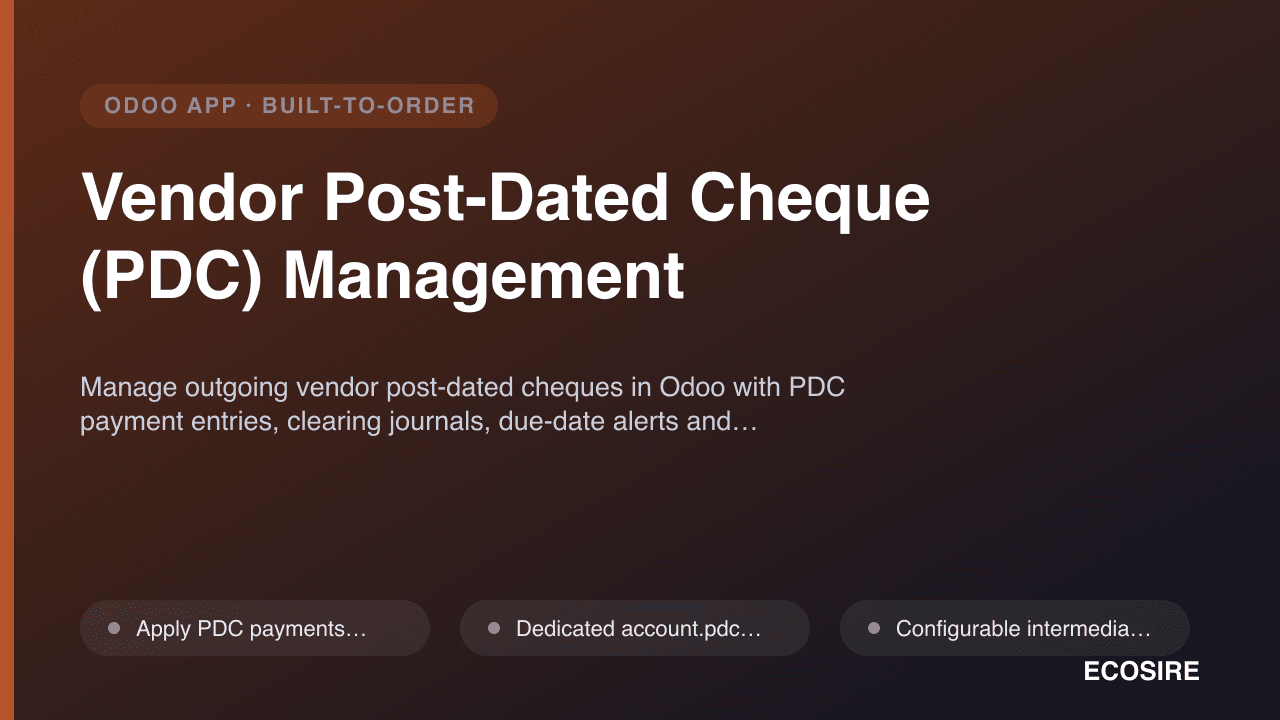
Vendor Post-Dated Cheque (PDC) Management
Manage outgoing vendor post-dated cheques in Odoo with PDC payment entries, clearing journals, due-date alerts and full cheque lifecycle tracking.
USA 1099 & E-File Pack
Track vendor 1099-NEC and 1099-MISC amounts continuously inside Odoo instead of rebuilding them in a spreadsheet every January. ECOSIRE builds, installs, and supports this module for your Odoo 17, 18, or 19 database after a scoping call.
- W-9 capture on `res.partner`: legal name, TIN with type (EIN/SSN/ITIN), federal tax classification, exempt payee codes, backup-withholding flag, and an attached W-9 document with a solicitation state
- Python `@api.constrains` TIN format validation plus a computed `x_1099_status` field (documented / missing W-9 / exempt / foreign) with a list-view filter for chasing paperwork before December
- `usa.1099.box` model seeded with current 1099-NEC and 1099-MISC boxes, effective-dated so box changes across tax years do not rewrite prior-year history
- Box-code defaulting cascade: product category and expense account defaults flow onto `account.move.line`, with a per-line override and a bulk reclassification wizard