 مثالی پیش منظر
A build-to-order Frappe app that fiscalises ERPNext Sales Invoices and Credit Notes through the ZRA Smart
Invoice device or API, returning the fiscal reference, QR code and signature onto the ERPNext document. Built, installed and supported by
ECOSIRE for your bench and your v15/v16 site.
Zambia Smart Invoice Compliance کیا ہے؟
A build-to-order Frappe app that fiscalises ERPNext Sales Invoices and Credit Notes through the ZRA Smart Invoice device or API, returning the fiscal reference, QR code and signature onto the ERPNext document. Built, installed and supported by ECOSIRE for your bench and your v15/v16 site. Built to order by ECOSIRE for ERPNext v15, v16 — indicative price from $999.00 USD; request a quote for a scoped proposal.
اہم خصوصیات
آرڈر پر تیار، مکمل طور پر آپ کے لیے
خود سیٹ اپ کی ضرورت نہیں — ایک کام کرنے والی ایپ جو ECOSIRE بناتا، انسٹال اور سپورٹ کرتا ہے۔
- 1
آپ آرڈر دیتے ہیں
ایک بار کی تعمیر کی قیمت سے آغاز کریں۔ آغاز پر ہم آپ کے ساتھ مل کر دائرہ کار طے کرتے ہیں۔
- 2
ہم بناتے اور انسٹال کرتے ہیں
ECOSIRE اسے آپ کے ERPNext پر بناتا، ترتیب دیتا اور انسٹال کرتا ہے۔
- 3
لائیو + معاونت
آپ تقریباً ایک کاروباری ہفتے میں لائیو ہو جاتے ہیں، گو لائیو کے بعد دو ہفتوں کی معاونت کے ساتھ۔ ہمارے فراہم کردہ کوڈ کی خرابیاں مفت درست کی جاتی ہیں۔
تکنیکی تفصیلات
- ERPNext ہم آہنگی
- —
- لائسنس
- لائسنس کی تصدیق درکار ہے
- Python کی ضرورت
- Python 3.10+
- ڈیٹابیس
- MariaDB 10.6+
اس مصنوع کے بارے میں
Finance teams invoicing in Zambia face a hard constraint that ERPNext core does not know about: an invoice is not legally an invoice until the Zambia Revenue Authority's Smart Invoice service has fiscalised it and returned a fiscal reference. Out of the box, ERPNext will happily submit a Sales Invoice, post the GL entries and email a PDF that carries no fiscal number, no verification QR code and no proof of transmission. The usual workaround — keying the same invoice a second time into the ZRA-supplied client, then hand-copying the fiscal number back into a custom field — is where the damage happens: transposed figures, invoices posted in ERPNext but never fiscalised, credit notes that reference nothing, and a month-end reconciliation done in a spreadsheet because the two systems disagree.
We build a proper Frappe app — its own repository, its own module, installed on your bench alongside erpnext — rather than a pile of loose Server Scripts and Custom Fields that vanish on the next migration. A Smart Invoice Settings single DocType holds the environment (sandbox or production), endpoint, TPIN, branch ID, device serial and credentials, with secrets stored as Password fieldtypes so they never render in the UI or in an API response. Company- and item-level mapping DocTypes translate your ERPNext master data into ZRA's coded vocabulary: Item Tax Template and Item Group map to Smart Invoice tax categories and product classification codes, UOMs map to ZRA unit codes, and Customer records carry TPIN and buyer type. A Smart Invoice Log DocType holds one row per transmission — request payload, response payload, HTTP status, fiscal reference, signature and QR string — so every submission is reconstructable months later without opening a network trace.
Transmission is wired through hooks.py doc events on Sales Invoice. A before_submit validator refuses to submit a document that cannot be fiscalised (missing customer TPIN, an item with no classification code, a tax template with no ZRA category), so the failure surfaces at the point of entry rather than at the tax office. on_submit enqueues the fiscalisation job through frappe.enqueue on a dedicated queue, keeping the UI responsive and the database transaction safe when ZRA is slow. The returned fiscal reference, verification URL, QR payload and device signature are written back to read-only custom fields on the Sales Invoice and rendered into a compliant Print Format, so the human-readable document your customer receives and the machine format ZRA holds come from one posting and cannot drift. Credit Notes travel the same path as refund transactions carrying the original fiscal reference.
Rejections are first class. A rejected transmission moves its log to a Failed state with the ZRA error code decoded into plain English, raises a ToDo for the finance role, and exposes a correction-and-resend action that re-validates before re-transmitting — nobody quietly edits a submitted invoice. A scheduler event defined in hooks.py retries transient network failures with backoff and produces a daily reconciliation report of submitted ERPNext invoices against fiscalised logs, so a gap is visible the next morning rather than at audit. Whitelisted methods expose the same fiscalise and status-check operations over the Frappe REST API for POS or e-commerce front ends, a Client Script surfaces live status and the QR code on the invoice form, and permissions ship as a role profile — a Smart Invoice Manager who can edit settings and mappings, and a Smart Invoice User who can transmit and view logs but never see credentials.
This is build-to-order. It is not an existing Frappe Cloud Marketplace download you install this afternoon. We start with a scoping call to see your actual ERPNext configuration — version, tax templates, item catalogue, whether POS is in play, how many branches and devices you operate — and to confirm which ZRA Smart Invoice interface you are onboarded to. From confirmed scope, typical delivery is one working week: we build against a copy of your data, hand you a staging site for UAT, run the acceptance cases with your finance team, and only then install on production with a rollback plan in hand. You receive the source code and the git repository, so the app is yours to keep whether or not you continue with us. It is written and tested for Frappe/ERPNext v15 and v16 and delivered against your exact site version.
What you get
- Installable Frappe app source code built for your exact ERPNext version (v15 or v16), with `pyproject.toml`, `hooks.py`, DocTypes, fixtures and patches
- Installation and configuration on your bench — sandbox onboarding first, then production cutover — including credentials, tax mapping and role profiles
- Technical documentation: DocType reference, doc-event and scheduler map, API contract for the whitelisted methods, and a ZRA error-code troubleshooting guide
- User guide plus a live training session for your finance team covering daily invoicing, rejection handling and the correction workflow
- UAT on a staging copy of your site against an agreed acceptance-case list, signed off before any production install, with a documented rollback plan
- Post-go-live support window for defect fixes and configuration adjustments once real invoices are being fiscalised
- Git repository handover with full commit history — the code is yours, and any Frappe developer can maintain it
- First-month reconciliation review comparing submitted ERPNext invoices against fiscalised logs, to confirm nothing is falling through the gap
Who this is for
Finance Manager / Financial Controller
Owns the tax position and signs off the return. Needs every ERPNext Sales Invoice to carry a genuine ZRA fiscal reference, needs anything that failed to transmit visible before month-end rather than at audit, and needs the correction path to be controlled instead of ad hoc.
Accounts Receivable / Billing Team
Raises the invoices every day. Needs fiscalisation to happen inside the ERPNext form they already use — no second keying into a separate ZRA client, no copying fiscal numbers by hand — and a readable message with a resend action when ZRA rejects something.
ERP / IT Manager
Answers for the ERPNext site's stability and upgrade path. Wants a proper Frappe app in a git repository rather than undocumented Server Scripts and Custom Fields that break on `bench migrate`, plus logs and retry behaviour they can monitor and credentials that are not stored in plain text.
External Auditor or Tax Adviser
Needs to reconstruct any invoice months later — what was sent to ZRA, what came back, when, and what happened to the rejections — from the system of record rather than from someone's spreadsheet.
How Zambia Smart Invoice Compliance Compares
| Criterion | ECOSIRE | Custom Build | Competitor | ERPNext نیٹو |
|---|---|---|---|---|
| Time to a working, fiscalised invoice | one working week from confirmed scope, including staging UAT before production | Typically 2-4 months — the team learns the ZRA spec and the Frappe framework at once | Minutes to install if one exists for your interface, but mapping and onboarding still take weeks | Never — ERPNext core has no concept of ZRA fiscalisation |
| Fit to your tax templates and item catalogue | Mapped to your actual `Item Tax Template`, Item Groups and UOMs during the build | Exact fit, assuming the spec is written before coding starts | Generic mapping tables; you bend your master data to fit the app | Tax templates exist, but nothing maps them to ZRA classification codes |
| Handling of ZRA rejections | Decoded error codes, `Failed` log state, ToDo for finance, guarded correct-and-resend | Whatever your team builds — usually added after the first painful month-end | Often a raw error string in a log, with correction handled by re-keying | Not applicable |
| Upgrade safety on `bench migrate` and v15 to v16 | Proper app with fixtures, patches and documented hooks; upgrades covered by support | Depends entirely on whether it was built as an app or as Server Scripts | Usually a real app, but upgrade timing follows the vendor's roadmap, not yours | Core upgrades cleanly, because there is no compliance layer to break |
| Audit trail and reconstruction | Request, response, status and fiscal reference stored for every attempt | Achievable, but logging is the first thing cut when the deadline moves | Varies widely — some log fully, some keep only the final fiscal number | ERPNext version history only; nothing about what was sent to ZRA |
| Ownership of the code | Full source and git repository handed over — maintain it yourself or with us | You own it outright, along with all the maintenance | Licensed, usually closed or subscription-gated; you cannot fork it | Open source, but there is nothing here to own |
| Cost profile | One fixed build cost plus an optional support agreement | Salaried developer time plus the learning curve, recurring at every ZRA spec change | Lower up front, recurring per-site or per-year licence, plus configuration effort | Free, and non-compliant |
| Who fixes it when ZRA changes the specification | We do, under the support agreement — or you do, from the repository you hold | Your team, from a standing start, at whatever notice ZRA gives | The vendor, on their release schedule and priority list | No one |
Frequently Asked Questions about Zambia Smart Invoice Compliance
How long does delivery take, and can I download it today?
No — this is build-to-order, not an existing marketplace download. We build it for your site. Typical delivery is one working week from confirmed scope: scoping call, build against a copy of your configuration, staging UAT with your finance team, then production install. What moves that range is how many branches and devices you operate, whether POS is in play, and how much item and tax master data needs classification mapping before anything can be transmitted.
What do you need from us before you can start building?
Your ZRA Smart Invoice onboarding details (TPIN, branch and device registration, sandbox credentials), your ERPNext version and a site copy for staging, your item catalogue and `Item Tax Template` setup so we can map classification and tax codes, and one named finance contact who can answer mapping questions and run UAT. We can begin the technical build against sandbox while production credentials are still being issued.
How is support and updates handled after go-live?
Every engagement includes a post-go-live support window for defect fixes and configuration adjustments once real invoices are flowing. Beyond that we offer an ongoing support and maintenance agreement covering ZRA specification changes, Frappe/ERPNext version upgrades (including v15 to v16) and enhancements. Because you receive the git repository and source code, you are never locked in — your own team or any Frappe developer can maintain it instead.
Will this survive a `bench migrate` or an ERPNext upgrade?
Yes. It is delivered as a proper Frappe app with its own module, DocTypes, fixtures and patches — not as Server Scripts and Custom Fields configured by hand in the UI, which is the common approach that quietly breaks on upgrade. Custom fields on Sales Invoice ship as fixtures so they are reproducible on any site, and integration points use documented `hooks.py` doc events and scheduler events rather than patching ERPNext core.
What happens when ZRA rejects an invoice or the service is unreachable?
They are treated as two different problems. A transient network or timeout failure is retried automatically by a scheduler event with backoff, and the `Smart Invoice Log` records each attempt. A genuine rejection moves the log to a `Failed` state with the ZRA error code decoded into plain English, raises a ToDo for the finance role, and exposes a correct-and-resend action — the invoice is never silently marked as fiscalised, and no one edits a submitted document behind the scenes. A daily reconciliation report lists any submitted invoice with no successful fiscalisation.
Can our POS or e-commerce front end fiscalise through this too?
Yes. Fiscalise and status-check are exposed as whitelisted methods over the Frappe REST API, authenticated with standard Frappe API keys and governed by the same role permissions. That covers ERPNext POS, a headless storefront, or a third-party system that already creates Sales Invoices in ERPNext. If your POS flow needs offline queueing or a specific receipt layout, raise it at the scoping call — it changes the estimate.
Do you support multiple branches, companies or devices?
Yes. Configuration is held per Company and per branch, so a group invoicing from several registered locations can run different TPIN, branch ID and device serial combinations from one ERPNext site, with the right one selected automatically from the invoice's Company and branch. Multi-device setups are part of the scoping conversation because they affect how logs and reconciliation are grouped.
Related Modules
Withholding Tax (TDS/WHT) Automation for ERPNext
A configurable withholding-tax engine for ERPNext that automates threshold-based TDS/WHT deduction, cumulative-invoice tracking, certificate generation and statutory return data. ECOSIRE builds it to your regime, installs it, and supports it after you confirm scope.
Workspace & Field-Level Permissions Manager
A build-to-order Frappe app that extends ERPNext permissions with field-level read/write masking, record-level rules and role-scoped workspace visibility. ECOSIRE scopes, builds, installs and supports it on your ERPNext v15/v16 bench.
ZATCA Phase 2 E-Invoicing for ERPNext (Saudi Arabia)
A ZATCA-compliant FATOORAH Phase-2 e-invoicing app for ERPNext that generates UBL 2.1 XML, applies the cryptographic stamp and XAdES signature, prints the TLV QR code, and handles real-time clearance (B2B) and reporting (B2C) against the ZATCA APIs. Built to your scope, installed on your bench, and supported by ECOSIRE.
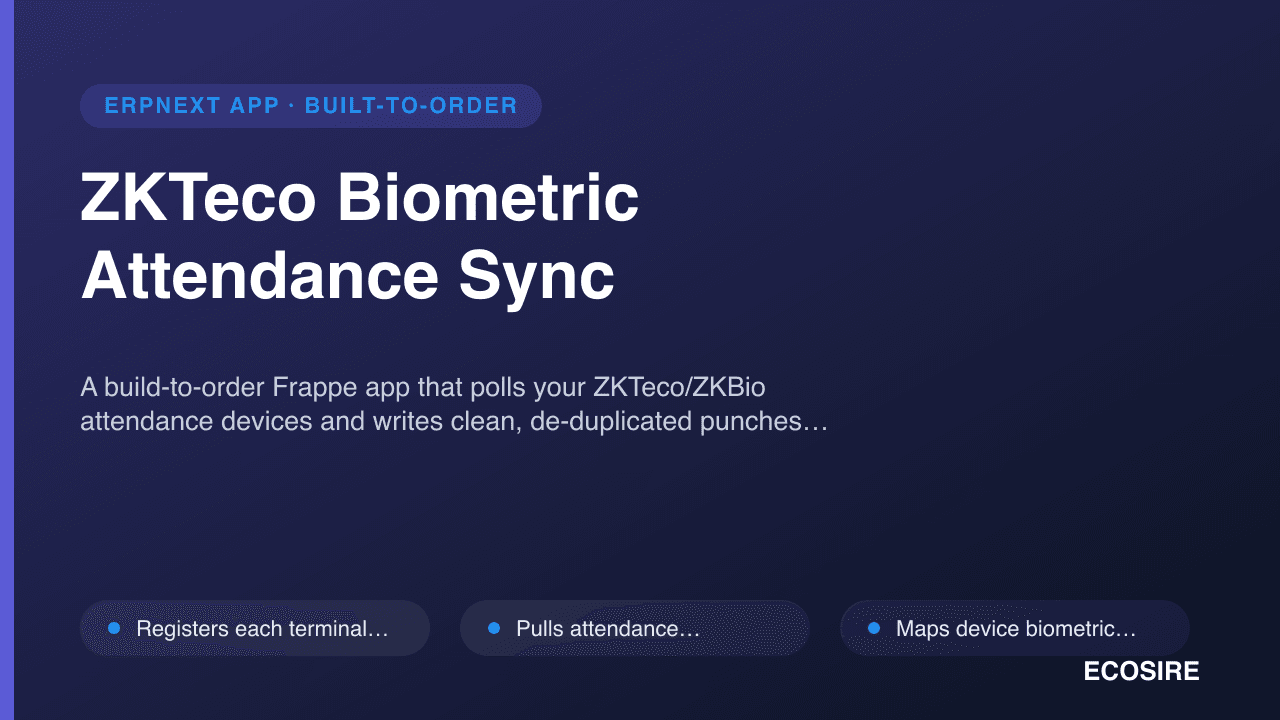
ZKTeco Biometric Attendance Sync
A build-to-order Frappe app that polls your ZKTeco/ZKBio attendance devices and writes clean, de-duplicated punches straight into ERPNext Employee Checkin records. ECOSIRE builds, installs, and supports it for your specific device fleet and site layout.
Zambia Smart Invoice Compliance
A build-to-order Frappe app that fiscalises ERPNext Sales Invoices and Credit Notes through the ZRA Smart Invoice device or API, returning the fiscal reference, QR code and signature onto the ERPNext document. Built, installed and supported by ECOSIRE for your bench and your v15/v16 site.
- Standalone Frappe app with its own module, repository and `hooks.py` — installed on your bench beside `erpnext`, and it survives `bench migrate` and version upgrades
- `Smart Invoice Settings` single DocType for environment (sandbox/production), endpoint, TPIN, branch ID and device serial, with credentials held in `Password` fieldtypes
- `before_submit` doc-event validator that blocks any Sales Invoice missing a customer TPIN, item classification code or mapped tax category — failures surface at data entry, not at the tax office
- `on_submit` fiscalisation queued through `frappe.enqueue` on a dedicated worker queue, so a slow ZRA response never blocks the invoice form or the database transaction