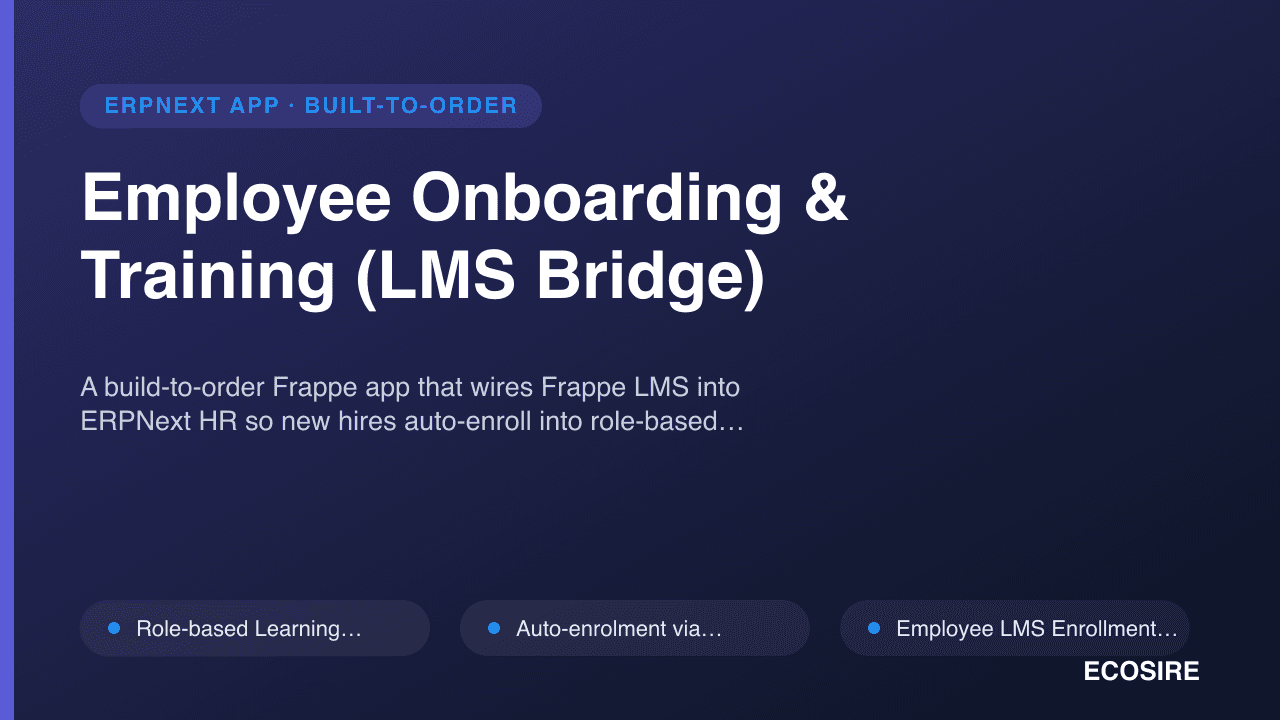
 مثالی پیش منظر
A build-to-order Frappe app that wires Frappe LMS into ERPNext HR so new hires auto-enroll into role-based
learning paths, and completions, certificates and quiz scores flow straight back onto the Employee record.
ECOSIRE scopes, builds, installs and supports it — this is not an instant download.
Employee Onboarding & Training (LMS Bridge) کیا ہے؟
A build-to-order Frappe app that wires Frappe LMS into ERPNext HR so new hires auto-enroll into role-based learning paths, and completions, certificates and quiz scores flow straight back onto the Employee record. ECOSIRE scopes, builds, installs and supports it — this is not an instant download. Built to order by ECOSIRE for ERPNext v15, v16 — indicative price from $999.00 USD; request a quote for a scoped proposal.
اہم خصوصیات
آرڈر پر تیار، مکمل طور پر آپ کے لیے
خود سیٹ اپ کی ضرورت نہیں — ایک کام کرنے والی ایپ جو ECOSIRE بناتا، انسٹال اور سپورٹ کرتا ہے۔
- 1
آپ آرڈر دیتے ہیں
ایک بار کی تعمیر کی قیمت سے آغاز کریں۔ آغاز پر ہم آپ کے ساتھ مل کر دائرہ کار طے کرتے ہیں۔
- 2
ہم بناتے اور انسٹال کرتے ہیں
ECOSIRE اسے آپ کے ERPNext پر بناتا، ترتیب دیتا اور انسٹال کرتا ہے۔
- 3
لائیو + معاونت
آپ تقریباً ایک کاروباری ہفتے میں لائیو ہو جاتے ہیں، گو لائیو کے بعد دو ہفتوں کی معاونت کے ساتھ۔ ہمارے فراہم کردہ کوڈ کی خرابیاں مفت درست کی جاتی ہیں۔
تکنیکی تفصیلات
- ERPNext ہم آہنگی
- —
- لائسنس
- لائسنس کی تصدیق درکار ہے
- Python کی ضرورت
- Python 3.10+
- ڈیٹابیس
- MariaDB 10.6+
اس مصنوع کے بارے میں
Most teams running ERPNext HR hit the same wall: the Employee lifecycle lives in ERPNext, but the actual learning lives somewhere else. ERPNext has an Employee Onboarding DocType with an activity checklist, and Frappe LMS is a capable course/quiz platform, but out of the box the two do not talk. So a new hire is created in ERPNext, and then someone manually creates an LMS account, manually assigns the right courses, and manually chases completion in a spreadsheet. Compliance training (safety, data-protection, code-of-conduct) has no audit trail on the employee record, certificates are PDFs in an email folder, and nobody can answer "which of our people are current on which mandatory training?" without a manual reconciliation. ERPNext native Training Event / Training Result covers instructor-led sessions but has no bridge to self-paced LMS courses, quiz scoring, or auto-enrolment.
We build a dedicated Frappe app — a proper installable module with its own hooks.py, DocTypes and permissions — that closes that gap. At its core is a Learning Path DocType (role-based, mapping a Designation, Department or Employment Type to an ordered set of LMS Courses) and an Employee LMS Enrollment DocType that records every assignment, its due date, and its state. On Employee creation and on Employee Onboarding submit, a hooks.py doc_events handler resolves the new hire's role, matches the applicable Learning Paths, and creates the corresponding LMS Enrollment records in Frappe LMS via server-side calls — no manual enrolment. When a learner finishes a course or a quiz in LMS, a doc event on the LMS Course Enrollment / Quiz Submission writes the result back: completion date, score, pass/fail against the path's threshold, and a link to the generated certificate, all posted onto a child table on the Employee record so HR sees it inline.
Technically it is built the way a Frappe app should be. Business rules that must never be bypassed (auto-enrol, score sync, certificate issue) run as server scripts / whitelisted Python methods with frappe.has_permission checks, not as client scripts that a user could skip. Client Scripts handle the in-form UX — a "Training status" panel on the Employee form, a "re-sync enrolments" button. A scheduler_events daily job sweeps for overdue and soon-to-expire compliance training (annual re-certification) and raises ToDos / notifications to the employee and their manager. Everything is reachable over the Frappe REST API and versioned whitelisted endpoints, so your LMS front-end, an external HRIS, or a Power BI report can read enrolment and completion state without touching the database directly. Role Profiles and permission rules keep L&D admins, managers and employees each seeing only what they should. It targets Frappe/ERPNext v15 and the v16 line.
Because this is build-to-order, nothing ships until we agree what you actually need. It starts with a scoping call where we map your roles to learning paths, your compliance matrix, and how your LMS is hosted (same bench, separate site, or Frappe Cloud). We build against your version on a staging site, you run UAT, and then we install into production with a rollback plan. Typical delivery is one working week from confirmed scope depending on how many role paths and compliance rules are in play. You receive the full source, the git repository, install and configuration docs, a training session, and a post-go-live support window — the app is yours, not a black box.
What you get
- Installable Frappe app source code (the app built for your ERPNext/Frappe version), packaged for `bench install-app`
- Private git repository handover with full commit history and access transferred to your organization
- Installation, configuration and bench/site setup documentation including how to add or edit Learning Paths and compliance rules
- Admin/user guide for L&D, managers and employees plus a live training session for your team
- UAT on a staging site against your data, with a documented rollback plan before production install
- Configuration of your initial role-to-course learning paths and compliance matrix as agreed in scoping
- Post-go-live support window for bug fixes and defect resolution on the delivered scope
- Technical handover notes: DocType schema, hooks/server scripts, whitelisted API endpoints and scheduler jobs
Who this is for
L&D / Training Manager
Owns the learning program and needs onboarding and compliance courses assigned automatically the moment a hire is created in ERPNext, with a single dashboard showing completion rates and who is overdue — instead of reconciling LMS exports against an employee spreadsheet.
HR Operations Lead
Runs the ERPNext HR module and wants onboarding, training status, quiz scores and certificates visible directly on the Employee record, so the training history is part of the employee lifecycle and audit-ready, not scattered across email and the LMS.
Compliance / Quality Officer
Responsible for mandatory training (safety, data-protection, industry regulation) and needs proof: who is certified, when it expires, and automatic re-certification reminders, with certificates attached to each employee for inspection or audit.
IT / ERPNext Administrator
Maintains the Frappe bench and self-hosted or Frappe Cloud sites, and wants a clean installable app with real DocTypes, hooks and whitelisted APIs — not database hacks — that upgrades cleanly across Frappe v15/v16 and hands over as source they control.
How Employee Onboarding & Training (LMS Bridge) Compares
| Criterion | ECOSIRE | Custom Build | Competitor | ERPNext نیٹو |
|---|---|---|---|---|
| LMS auto-enrolment on new hire | Server-side hooks.py doc_events auto-enrol by role, idempotent | Possible but you design and maintain the hook logic yourself | Usually manual assignment or a generic sync, rarely role-based | None — ERPNext HR and Frappe LMS don't talk out of the box |
| Quiz/score sync to Employee record | Scores and pass/fail written back to a child table on Employee | Buildable, needs your own DocType and event design | Often one-way or LMS-only, no ERPNext Employee link | Training Result exists but only for instructor-led events, not LMS quizzes |
| Compliance re-certification tracking | Register with intervals + daily scheduler flags overdue/expiring | You build and test the scheduler and reminder logic | Basic expiry at best, rarely tied to ERPNext employee | No re-certification or expiry concept |
| Fit to your roles and compliance matrix | Scoped to your paths and rules before build | Fully yours, but full spec/build burden on your team | Fixed feature set — you adapt to it | Generic onboarding checklist only |
| Source code and ownership | Full source + private git repo handed to you | You own it, and you own all the effort | Often licensed/closed, upgrade at vendor's pace | Open source but no such feature to own |
| API access for dashboards/BI | Whitelisted REST methods for enrolment/completion state | You expose and secure your own endpoints | Varies; may lack ERPNext-side endpoints | Generic Frappe REST, but no onboarding-training model to query |
| Delivery model | Build-to-order: scope → staging build → UAT → install, one working week | Weeks to months depending on in-house capacity | Instant install but generic; customization extra | Immediate but you get nothing beyond the native checklist |
| Support after go-live | Post-go-live support window + optional ongoing engagement | Self-supported unless you contract help | Vendor support tiers, feature roadmap not yours to steer | Community forums only |
Frequently Asked Questions about Employee Onboarding & Training
How long does delivery take?
This is a build-to-order app, not an instant download. Typical delivery is one working week from confirmed scope, depending on how many role-based learning paths, compliance rules and integrations you need. It begins with a short scoping call, then build on staging, UAT, and production install with a rollback plan.
Do I get the source code, or is it locked to ECOSIRE?
You get the full source and a private git repository handed over to your organization. It is a standard installable Frappe app with its own DocTypes, hooks.py and whitelisted methods — nothing obfuscated, no black box. You are free to maintain or extend it yourself afterward.
Which Frappe/ERPNext versions are supported, and how do updates work?
We build and test against Frappe/ERPNext v15 and the v16 line, targeting whichever version your bench runs. After go-live you have a support window for defect fixes on the delivered scope. Version upgrades, new features or additional learning paths beyond the agreed scope are handled as a follow-on engagement.
Does this require Frappe LMS, and can it use our existing LMS site?
Yes, the bridge is built for Frappe LMS. It works whether LMS runs on the same bench as ERPNext, on a separate Frappe site, or on Frappe Cloud — we confirm your topology in scoping and build the enrolment and sync integration to match. Non-Frappe LMS platforms are possible but out of the standard scope and would be quoted separately.
How does auto-enrolment actually work under the hood?
A `hooks.py` `doc_events` handler fires on `Employee` creation and `Employee Onboarding` submit. It resolves the hire's Designation/Department/Employment Type, matches the applicable `Learning Path` records, and creates the corresponding LMS enrolments server-side via whitelisted methods. The logic is idempotent, so re-syncs or scope changes never create duplicate enrolments.
How do quiz scores and certificates get onto the employee record?
When a learner completes a course or quiz in LMS, a server-side doc event writes the result back — completion date, score, pass/fail against the path's threshold, and the certificate file — onto a child table on the ERPNext `Employee` record. HR sees the full training history inline, and a daily scheduler job flags overdue or expiring compliance training.
What do you need from us to start?
A scoping call (15–45 minutes) where we map your roles to learning paths, your compliance/re-certification matrix, your ERPNext and LMS versions, and how they're hosted. From that we confirm scope, timeline and price before any build begins.
Related Modules
Email Marketing Automation for ERPNext
A native ERPNext email marketing engine with a drag-and-drop builder, behavioral drip automation, and open/click/bounce tracking — built, installed, and supported by ECOSIRE for your Frappe v15/v16 instance.
Employee Lifecycle & Onboarding Workflow
A build-to-order ERPNext app that standardizes onboarding, transfer, promotion, and offboarding with template-driven checklists, cross-department task automation, and asset issuance/recovery tracking. ECOSIRE scopes, builds, installs, and supports it for your instance.
End-of-Service & Gratuity Calculator
A build-to-order ERPNext app that automates end-of-service benefit accrual and final-settlement (FNF) generation using country-specific gratuity formulas across the GCC and Asia. ECOSIRE scopes, builds, installs, and supports it on your Frappe/ERPNext v15/v16 bench.
Enhanced Kanban & List Views for ERPNext
A build-to-order Frappe app that upgrades ERPNext Kanban and List views with Link-field columns, swimlanes, WIP limits, inline card editing, per-user saved presets and conditional coloring. ECOSIRE scopes, builds, installs and supports it for your exact DocTypes.
Employee Onboarding & Training
A build-to-order Frappe app that wires Frappe LMS into ERPNext HR so new hires auto-enroll into role-based learning paths, and completions, certificates and quiz scores flow straight back onto the Employee record. ECOSIRE scopes, builds, installs and supports it — this is not an instant download.
- Role-based `Learning Path` DocType mapping Designation/Department/Employment Type to an ordered set of Frappe LMS courses with due-date offsets
- Auto-enrolment via `hooks.py` `doc_events` on `Employee` after_insert and `Employee Onboarding` on_submit — new hires get their courses with zero manual assignment
- `Employee LMS Enrollment` DocType tracking assignment, due date, state (Not Started / In Progress / Completed / Overdue) and pass/fail per learner
- Server-side quiz and assessment score sync from LMS `Quiz Submission` back onto a child table on the `Employee` record, checked against a configurable pass threshold