 イメージプレビュー
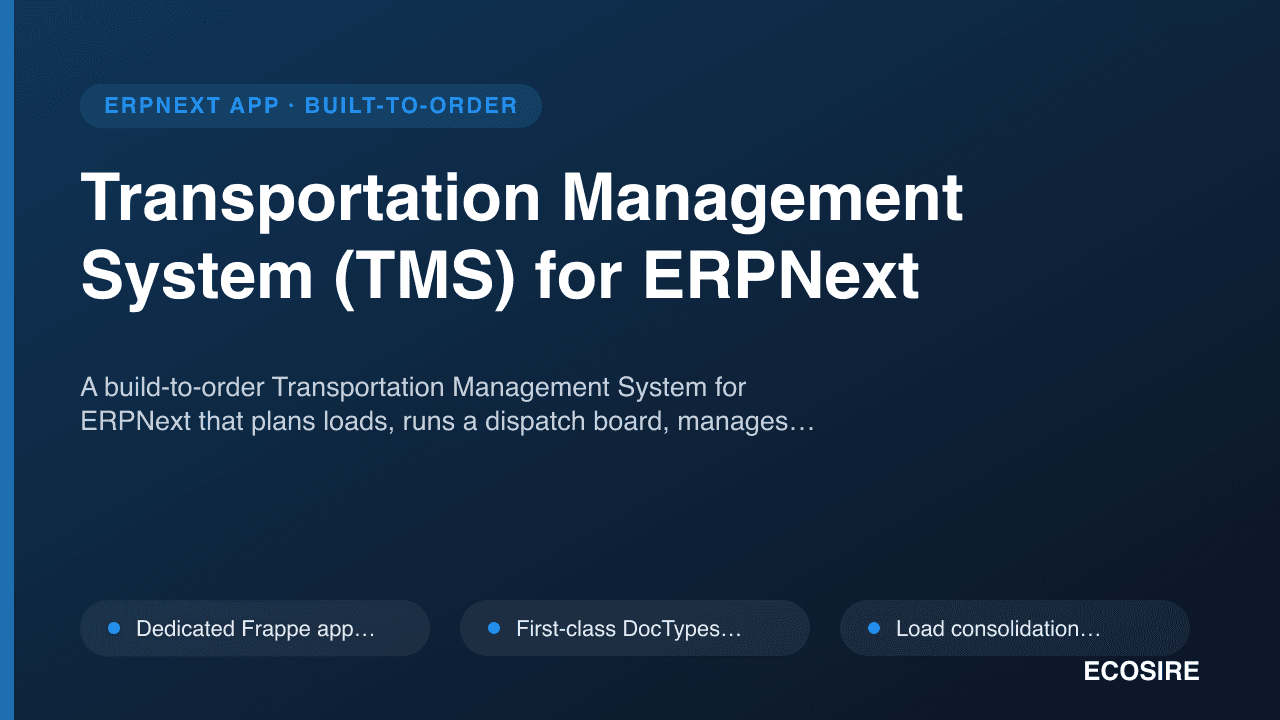
A build-to-order Transportation Management System for ERPNext that plans loads,
runs a dispatch board, manages carrier and owned-fleet rates, accrues freight cost, and captures proof of delivery — all inside your ERPNext instance.
ECOSIRE scopes, builds, installs, and supports it for you.
Transportation Management System (TMS) for ERPNextとは?
A build-to-order Transportation Management System for ERPNext that plans loads, runs a dispatch board, manages carrier and owned-fleet rates, accrues freight cost, and captures proof of delivery — all inside your ERPNext instance. ECOSIRE scopes, builds, installs, and supports it for you. Built to order by ECOSIRE for ERPNext v15, v16 — indicative price from $999.00 USD; request a quote for a scoped proposal.
主な機能
受注生産、すべておまかせ
自分での設定は不要 — ECOSIRE が構築・インストール・サポートする実働アプリです。
- 1
ご注文
一回限りの構築料金から始めます。キックオフで一緒に範囲を決めます。
- 2
構築とインストール
ECOSIRE がお客様の ERPNext 上で構築・設定・インストールします。
- 3
本番稼働 + サポート
約1週間(営業日ベース)で稼働し、本番稼働後2週間のサポートが付きます。納品したコードの不具合は無償で修正します。
技術仕様
- ERPNext互換性
- —
- ライセンス
- ライセンスの確認が必要です
- Python要件
- Python 3.10+
- データベース
- MariaDB 10.6+
この製品について
Distributors and carriers running ERPNext hit a wall the moment shipping stops being a single field on a Delivery Note. ERPNext core gives you Delivery Trip and a driver link, but it has no concept of consolidating multiple sales orders into one truckload, no rate card that compares a contracted carrier against your own fleet, no freight accrual that lands in the general ledger before the carrier invoice arrives, and no structured proof-of-delivery trail with milestone timestamps. Planners end up in spreadsheets, dispatchers phone drivers, and finance reconciles freight weeks late — while the shipment data that should live in ERPNext leaks out to email and WhatsApp.
The ECOSIRE Transportation Management System is a proper Frappe application (its own installable app, not a pile of customizations) that adds a transport layer directly on top of ERPNext. We model the domain as first-class DocTypes — Load Plan, Trip/Dispatch, Carrier Rate Card, Freight Cost Entry, and Proof of Delivery — each with workflow states, role-scoped permissions via Role Profiles, and naming series that fit your operation. Load planning consolidates open Delivery Notes and Sales Orders by lane, weight, and volume onto a truck; a Kanban-style dispatch board assigns driver and vehicle and moves trips through Draft → Planned → In Transit → Delivered → Settled. Rate management holds distance/weight/zone-based tariffs for both external carriers and owned vehicles, so the planner sees a true cost comparison before committing a load.
Technically, the app is wired the ERPNext way. hooks.py doc events (on_submit, on_update, validate) drive automation — submitting a trip books a freight accrual Journal Entry against a configurable expense/accrual account and reconciles it on carrier settlement, so freight always hits the GL in the right period. Scheduler events run nightly to flag overdue-in-transit trips and stale PODs. Server scripts enforce capacity and rate-lookup logic; client scripts add the in-form dispatch actions and validations planners actually use. Everything is exposed over the standard Frappe REST API plus purpose-built @frappe.whitelist() methods, so a driver mobile app or a customer portal can post milestone updates and POD photos without bypassing permissions. We build against ERPNext/Frappe v15 and forward-test on v16.
Because this is build-to-order, nothing ships until we agree on scope. It starts with a scoping call where we map your lanes, fleet, carrier contracts, and how freight should post to your chart of accounts. We then build your version of the app, deliver it on a staging bench for UAT against your real data, and only cut over to production once you sign off. Typical delivery is one working week from confirmed scope, depending on how many rate structures and integrations are in play. You receive the full source in a Git repository — this is your app, not a locked black box, and it runs inside your own ERPNext instance.
得られるもの
- Installable Frappe app source code for your version of the TMS, built for your ERPNext v15/v16 bench
- Installation and configuration on your staging bench, including rate cards, accrual accounts, and Role Profiles
- Technical documentation: DocType reference, hooks/scheduler map, whitelisted API endpoints, and configuration guide
- User guide plus a live training session for planners, dispatchers, and finance
- UAT on a staging bench against your real data, with a documented rollback plan before production cutover
- Git repository handover so you own the full source and version history
- Post-go-live support window for bug fixes and configuration adjustments after launch
これは誰のためのものですか
Distribution operations manager
Runs daily dispatch across multiple lanes and needs to consolidate orders into truckloads and assign owned vehicles from one board inside ERPNext, instead of juggling spreadsheets and phone calls.
Regional carrier / 3PL dispatcher
Coordinates a mix of contracted carriers and an owned fleet, and needs rate comparison, trip assignment, and POD tracking that ties every shipment back to the delivery and the customer.
Finance / freight controller
Wants freight cost to accrue to the general ledger when the trip runs — not weeks later — and needs accrual-vs-actual settlement reconciliation tied to carrier invoices in ERPNext.
ERPNext IT lead / systems owner
Owns the ERPNext instance and requires a clean, upgrade-safe Frappe app with proper permissions, API access, and full source in Git rather than untracked in-place customizations.
Transportation Management System (TMS) for ERPNext の比較方法
| 基準 | エコシエール | カスタムビルド | 競合他社 | ERPNext 標準機能 |
|---|---|---|---|---|
| Transport data model | First-class DocTypes for load plan, trip, rate card, freight, POD | Whatever you build from scratch | Fixed model, may not fit your lanes | Only Delivery Trip + a driver link |
| Load consolidation | Groups orders by lane, weight, volume with capacity checks | Possible, but you design and test it | Basic or absent | None — one delivery at a time |
| Carrier vs fleet rates | Distance/weight/zone cards with lowest-cost lookup | Hand-built rate logic | Often carrier-only, no owned fleet | No rate cards at all |
| Freight accrual to GL | Journal Entry on submit, reconciled at settlement | You wire the accounting hooks | Rarely posts to the ledger | Manual entry after the fact |
| POD & milestones | Timestamped milestones, photo/signature, exception codes | Build the capture flow yourself | Varies; often limited | No structured POD trail |
| API for drivers/mobile | Whitelisted methods + Frappe REST, permission-aware | You expose and secure endpoints | May be closed or add-on priced | Generic REST, no transport methods |
| Source & ownership | Full source handed over in Git — your app | You own it, but bear all build risk | Often closed source / licensed | Core code, not tailored to you |
| Upgrade safety | Separate Frappe app, v15/v16, staging UAT + rollback | Depends on your discipline | Depends on vendor cadence | Clean, but lacks the features |
Transportation Management System (TMS) に関するよくある質問
Is this a ready-to-download Frappe Marketplace app?
No. This is build-to-order. ECOSIRE scopes it to your lanes, fleet, carrier contracts, and chart of accounts, then builds, installs, and supports it. You do not download a generic app — you get your version, with the full source handed over in Git.
How long does delivery take?
Typically one working week from confirmed scope. The range depends on how many rate structures, integrations, and workflow states you need. We agree on the scope in a scoping call first, then build; nothing ships until the scope is confirmed.
Which ERPNext and Frappe versions are supported?
We build and test against Frappe/ERPNext v15 and forward-test on v16. It installs as a standard Frappe app on your bench (`bench get-app` then `bench install-app`), so it stays isolated from ERPNext core and survives upgrades cleanly.
How does freight cost reach our accounts?
On trip submit, a `hooks.py` `on_submit` event books a freight accrual Journal Entry to a configurable accrual/expense account, so cost hits the general ledger in the correct period. When the carrier invoice arrives, the settlement step reconciles accrual against actual so you can see the variance.
Can drivers update trips and upload proof of delivery from the field?
Yes. The app exposes whitelisted REST endpoints (`@frappe.whitelist()`) plus the standard Frappe REST API, so a mobile app or portal can post milestone timestamps and POD photos/signatures. All calls respect ERPNext permissions — nothing bypasses the role layer.
What about support and updates after go-live?
Every engagement includes a post-go-live support window for bug fixes and configuration adjustments. Because you receive the full source in a Git repository, your own team can also extend it, or you can retain ECOSIRE for enhancements and version upgrades.
Will this conflict with our existing ERPNext customizations or upgrades?
It ships as a separate Frappe app rather than in-place edits to ERPNext core, and we deliver on a staging bench for UAT with a documented rollback plan before production cutover. That keeps your ERPNext upgrade path clean and your customizations intact.
関連モジュール
Social Commerce Connector
A build-to-order Frappe app that connects your social storefronts to ERPNext, capturing every order as a real Sales Order with stock reservation, fulfilment tracking, and payout reconciliation. ECOSIRE builds, installs, and supports it for your ERPNext v15 or v16 site.
Southeast Asia Marketplace Pack
A build-to-order ERPNext application that consolidates orders, stock, tax documents, payouts and returns from the major Southeast-Asian marketplaces into one ERPNext instance. ECOSIRE builds, installs and supports it for your Frappe/ERPNext v15 or v16 site after a scoping call.
USPS Shipping Connector for ERPNext
A native Frappe app that connects ERPNext directly to USPS for live domestic and international rates, one-click labels with CN22/CP72 customs forms, address standardization, and automatic tracking updates. ECOSIRE builds it to your scope, installs it, and supports it after go-live.
Transportation Management System (TMS)
A build-to-order Transportation Management System for ERPNext that plans loads, runs a dispatch board, manages carrier and owned-fleet rates, accrues freight cost, and captures proof of delivery — all inside your ERPNext instance. ECOSIRE scopes, builds, installs, and supports it for you.
- Dedicated Frappe app installable on your bench via `bench get-app` / `bench install-app`, isolated from ERPNext core so upgrades stay clean
- First-class DocTypes for `Load Plan`, `Trip`/`Dispatch`, `Carrier Rate Card`, `Freight Cost Entry`, and `Proof of Delivery` with configurable naming series
- Load consolidation that groups open Delivery Notes and Sales Orders by lane, weight, and volume, with capacity checks enforced by server-side validation
- Kanban dispatch board with driver and vehicle assignment and a `Draft → Planned → In Transit → Delivered → Settled` workflow