 イメージプレビュー
A build-to-order Frappe app that connects ERPNext HR to Slack and Microsoft Teams,
so remote teams apply for leave, check in/out, approve requests, and receive HR reminders without leaving chat.
ECOSIRE designs, builds, installs, and supports it against your workflows.
Slack & Teams HR Botとは?
A build-to-order Frappe app that connects ERPNext HR to Slack and Microsoft Teams, so remote teams apply for leave, check in/out, approve requests, and receive HR reminders without leaving chat. ECOSIRE designs, builds, installs, and supports it against your workflows. Built to order by ECOSIRE for ERPNext v15, v16 — indicative price from $999.00 USD; request a quote for a scoped proposal.
主な機能
受注生産、すべておまかせ
自分での設定は不要 — ECOSIRE が構築・インストール・サポートする実働アプリです。
- 1
ご注文
一回限りの構築料金から始めます。キックオフで一緒に範囲を決めます。
- 2
構築とインストール
ECOSIRE がお客様の ERPNext 上で構築・設定・インストールします。
- 3
本番稼働 + サポート
約1週間(営業日ベース)で稼働し、本番稼働後2週間のサポートが付きます。納品したコードの不具合は無償で修正します。
技術仕様
- ERPNext互換性
- —
- ライセンス
- ライセンスの確認が必要です
- Python要件
- Python 3.10+
- データベース
- MariaDB 10.6+
この製品について
Your people live in Slack or Microsoft Teams all day, but ERPNext HR lives behind a login they open twice a month. So leave applications sit unfiled, check-ins get skipped, and managers only notice a pending Leave Application when payroll asks. ERPNext core ships solid HR DocTypes — Leave Application, Employee Checkin, Attendance, Expense Claim — and even email notifications, but it has no first-class Slack or Teams presence: no slash commands, no interactive approval buttons, no way for a manager to approve from a mobile notification. The notification doctype can push to a webhook, but that is a one-way fire-and-forget message, not a conversation. Bridging that last mile with off-the-shelf iPaaS glue ends in brittle Zapier chains that break every time your leave workflow changes.
We build a proper Frappe app — its own module, DocTypes, hooks.py doc events, and whitelisted API methods — that turns your existing ERPNext HR data into a two-way chat assistant. On the inbound side, Slack slash commands and Teams message-extension actions post to signed, whitelisted endpoints (@frappe.whitelist()), which we verify (Slack signing secret / Teams JWT) before creating the matching ERPNext document under the correct employee's permissions and role profile. /leave 2026-08-10 2026-08-12 Annual creates a real Leave Application linked to the requester's Employee record; /checkin writes an Employee Checkin with the chat-reported timestamp and optional geolocation. Interactive approve/reject buttons call back into ERPNext to run the standard workflow transition, so the audit trail, leave-ledger entries, and balances stay 100% native — the bot never becomes a shadow system of record.
On the outbound side we wire hooks.py doc_events and Frappe scheduler_events to push the right message to the right person. A new Leave Application in the Open state DMs the approving manager with inline buttons; a submitted leave notifies the employee's channel. Scheduled jobs fan out the daily/weekly digests: pending-approval reminders to managers, birthday and work-anniversary announcements to a team channel, upcoming public-holiday notices from the Holiday List, payslip-ready pings after a Salary Slip is submitted, and review-due nudges from the appraisal cycle. Workspace/channel routing, message templates, and quiet-hours are all configurable through a Chat HR Settings single DocType plus per-event mapping — no code edits to change who gets what.
Everything runs on your Frappe bench against Frappe/ERPNext v15 or v16, respecting your existing permissions: the bot can only do what the linked ERPNext user is already allowed to do, and unmapped Slack/Teams identities are refused rather than silently escalated. Client scripts add a small "Notify in chat" affordance where it helps inside the Desk, but the heavy lifting is server-side and testable.
Because this is build-to-order, we start from your actual leave types, approval hierarchy, and which platform (Slack, Teams, or both) you run. After a short scoping call we confirm the command set, notification matrix, and channel routing in writing, then build, test on a staging bench, and hand over. Typical delivery is one working week from confirmed scope. You receive the installable app source for your version, install and configuration on your environment, technical and end-user documentation, a training session, and a post-go-live support window — not a marketplace download you have to wire up yourself.
得られるもの
- Installable Frappe app source code (your module, DocTypes, hooks.py, server scripts, client scripts) targeting your Frappe/ERPNext v15 or v16 bench
- Installation and configuration on your environment — Slack app / Teams bot registration, signing secrets, channel routing, and identity mapping
- Technical documentation: DocType reference, doc-event and scheduler map, API endpoints, and Slack/Teams app setup guide
- End-user guide plus a live training session for employees, managers, and HR admins
- UAT on a staging bench with a signed-off test matrix, plus a documented rollback plan
- Post-go-live support window for defect fixes and configuration adjustments
- Git repository handover with full commit history and versioned releases
- Notification matrix and channel-routing configuration documented so HR can maintain it after handover
これは誰のためのものですか
Remote-first HR / People Ops lead
Runs HR entirely in ERPNext but watches leave requests and check-ins slip because staff never open the Desk. Wants self-service in Slack/Teams that still lands as clean, native ERPNext records with a proper audit trail.
Engineering or delivery manager
Approves leave for a distributed team and wants to approve or reject from a chat notification on mobile — without opening ERPNext — while keeping balances and workflow states authoritative in the system of record.
ERPNext system administrator / bench owner
Owns the Frappe bench and needs a properly structured app: version-pinned for v15/v16, permission-respecting, testable, and handed over as source with docs — not an opaque marketplace binary or brittle iPaaS glue.
COO / operations head of a distributed SME
Wants higher HR-process compliance (filed leave, logged attendance, acknowledged reviews) measured in the tools the company already uses, and a single vendor to build, install, and support the bridge.
Slack & Teams HR Bot の比較方法
| 基準 | エコシエール | カスタムビルド | 競合他社 | ERPNext 標準機能 |
|---|---|---|---|---|
| Leave / check-in from chat | Slash commands & Teams actions create native ERPNext records | Possible, but you design and maintain the whole bridge | Generic, often notification-only with no two-way actions | None — HR only via the ERPNext Desk / mobile app |
| Approve from a chat notification | Interactive buttons run the native leave workflow transition | Build the callback + workflow wiring yourself | Rarely supports true in-chat approval | Approve only inside ERPNext; email links at best |
| System of record integrity | ERPNext stays authoritative; bot writes real DocTypes under permissions | Depends entirely on your implementation discipline | Risk of a shadow store or brittle sync | Fully authoritative, but no chat surface |
| Reminders & announcements | Scheduler-driven pending-approval, birthday, holiday, payslip, review pings | Write and maintain each scheduler job yourself | Limited, fixed set — hard to extend | Email notifications only; no chat digests |
| Fit to your workflow | Built around your leave types, hierarchy & channels | Fully bespoke, at full build cost and time | One-size-fits-most; you adapt to it | Standard HR flows only |
| Configurability after handover | Notification matrix & routing via `Chat HR Settings` DocType | Whatever you chose to build | Vendor-controlled settings screen | N/A — no chat layer |
| Version support | Pinned & tested for Frappe/ERPNext v15/v16 | Your responsibility across upgrades | May lag ERPNext releases | Ships with core |
| Ownership & support | Full source + git handover + support window from ECOSIRE | You own and staff it entirely | Subscription; source usually closed | Community / your ERPNext partner |
Slack & Teams HR Bot に関するよくある質問
Is this an existing app I can download and install today?
No. It is build-to-order. ECOSIRE designs, builds, installs, and supports the app around your actual leave types, approval hierarchy, and chat platform. There is no instant download — you receive the installable source for your version once it is built and tested.
How long does delivery take?
Typically one working week from confirmed scope. After a short scoping call we agree the command set, notification matrix, and channel routing in writing; that confirmed scope starts the clock. More complex approval chains or dual Slack + Teams rollouts can extend the timeline, which we confirm before starting.
Does it work with both Slack and Microsoft Teams?
Yes — either or both. Inbound uses Slack slash commands and Teams message-extension actions; outbound uses Slack DMs/channels and Teams bot messages. We scope which platforms you need so we only build and register what you'll actually use.
Will the bot bypass ERPNext permissions or become a separate source of truth?
No. Every action runs through whitelisted methods under the linked ERPNext user's permissions and role profile, and writes native DocTypes — `Leave Application`, `Employee Checkin`, workflow transitions. The chat layer is an interface; ERPNext stays the single system of record, and unmapped chat identities are refused.
Which ERPNext versions are supported?
Frappe/ERPNext v15 and v16. We pin the app to your running version, test on a staging bench matching it, and note any version-specific behavior in the handover docs.
What about ongoing support and updates?
Every build includes a post-go-live support window for defect fixes and configuration tweaks. Because you receive the full git repository and source, your own team can also maintain it. Beyond the included window, we offer ongoing support and version-upgrade retainers on request.
Can we change who receives which notification later?
Yes. Recipients, channels, templates, and quiet-hours are driven by a `Chat HR Settings` single DocType and a per-event mapping table, so HR can adjust the notification matrix without code changes. Structural additions (new command types or new HR events) are a small scoped enhancement.
関連モジュール
Singapore GST & InvoiceNow (Peppol) for ERPNext
A build-to-order ERPNext app that produces GST F5 return data and transmits IRAS InvoiceNow (Peppol BIS Billing 3.0) e-invoices through a certified Access Point. ECOSIRE scopes, builds, installs, and supports it for your ERPNext v15/v16.
Singapore InvoiceNow (Peppol) Compliance
An InvoiceNow-ready ERPNext integration that generates SG Peppol BIS invoices, transmits them through the InvoiceNow network, and files the required data to IRAS. Built to order, installed, and supported by ECOSIRE on your ERPNext v15/v16.
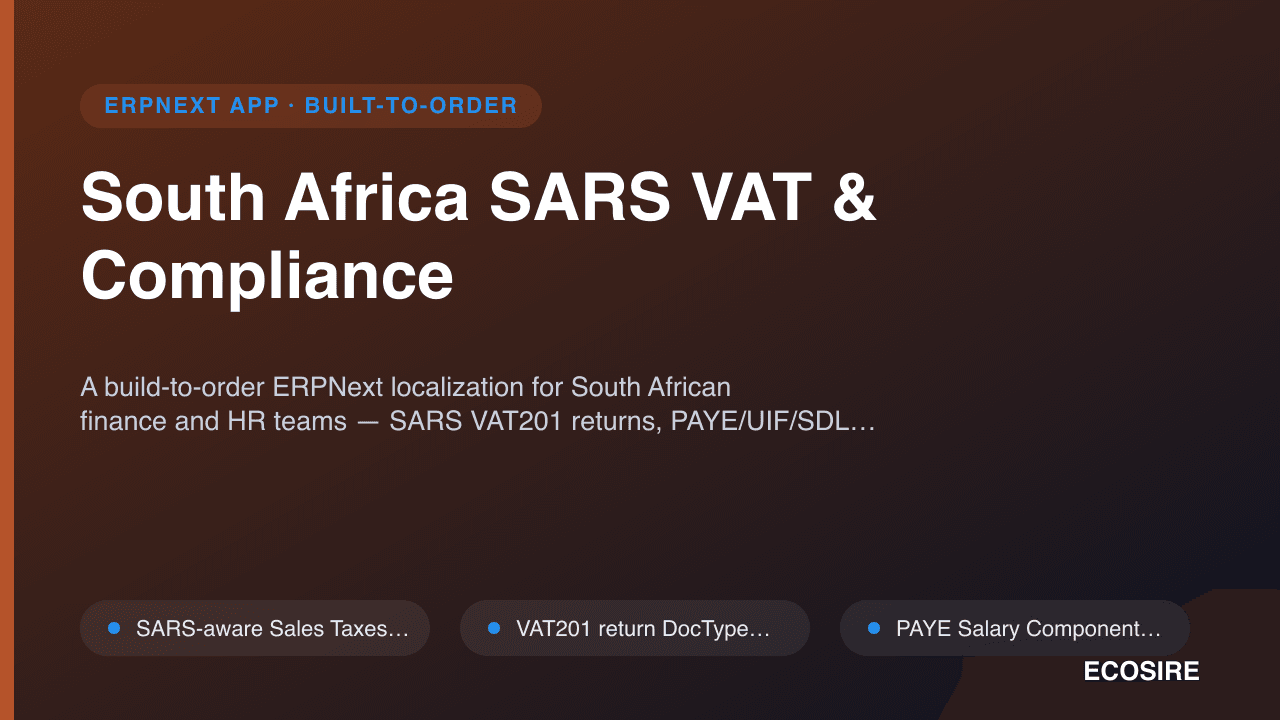
South Africa SARS VAT & Compliance
A build-to-order ERPNext localization for South African finance and HR teams — SARS VAT201 returns, PAYE/UIF/SDL payroll, EMP201 statutory reporting and COIDA support, all wired into your ERPNext site. ECOSIRE scopes, builds, installs and supports it for you.
Slack & Teams HR Bot
A build-to-order Frappe app that connects ERPNext HR to Slack and Microsoft Teams, so remote teams apply for leave, check in/out, approve requests, and receive HR reminders without leaving chat. ECOSIRE designs, builds, installs, and supports it against your workflows.
- Slack slash commands and Microsoft Teams message-extension actions for leave application, mapped to real `Leave Application` DocTypes under the requester's ERPNext permissions
- Interactive approve/reject buttons that trigger the native ERPNext leave workflow transition — leave ledger and balances stay authoritative in ERPNext
- Chat check-in/check-out writing `Employee Checkin` records with timestamp, and optional geolocation/IP captured from the chat action
- Inbound request signature verification: Slack signing-secret HMAC and Microsoft Teams bot JWT validation on every whitelisted endpoint