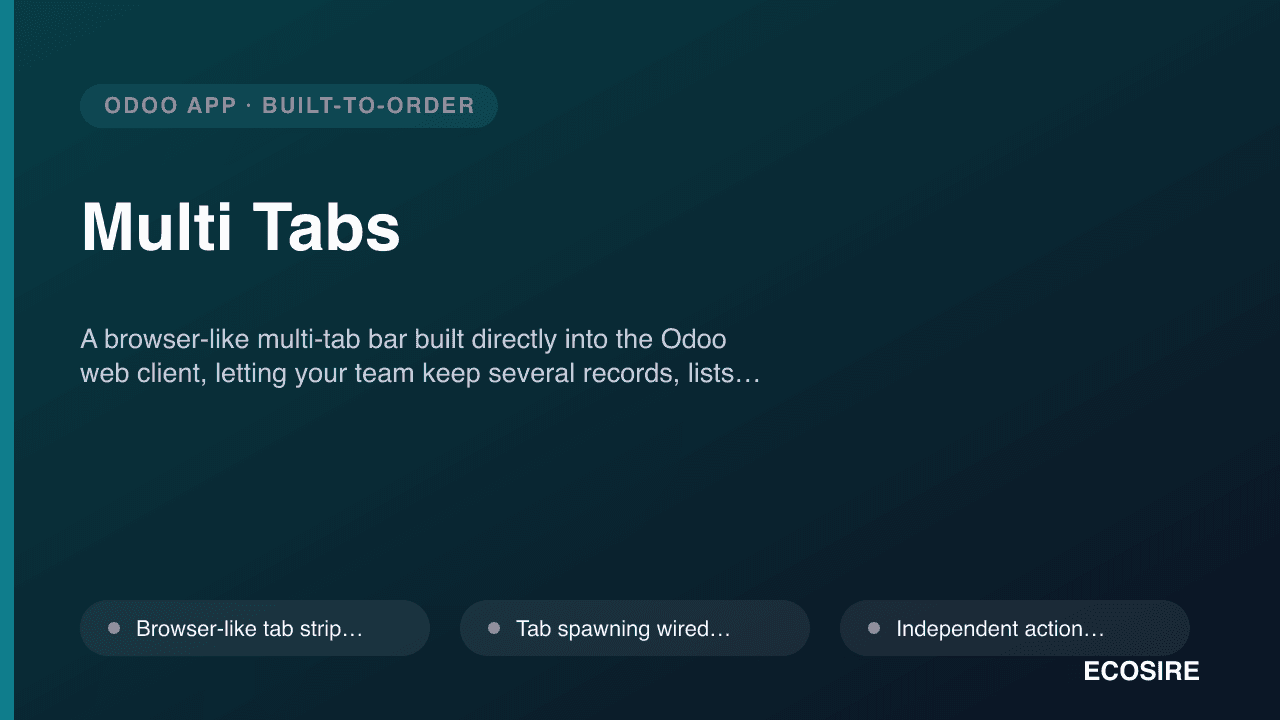
 उदाहरणात्मक पूर्वावलोकन
A browser-like multi-tab bar built directly into the Odoo web client,
letting your team keep several records, lists, and apps open at once and switch between them instantly. Built to order by ECOSIRE for Odoo 17.0, 18.0, and 19.0 — Community or Enterprise.
Multi Tabs क्या है?
A browser-like multi-tab bar built directly into the Odoo web client, letting your team keep several records, lists, and apps open at once and switch between them instantly. Built to order by ECOSIRE for Odoo 17.0, 18.0, and 19.0 — Community or Enterprise. Built to order by ECOSIRE for Odoo 17, 18, 19 — indicative price from $999.00 USD; request a quote for a scoped proposal.
प्रमुख सुविधाएँ
ऑर्डर पर निर्मित, पूरी तरह आपके लिए तैयार
स्वयं सेटअप की ज़रूरत नहीं — ECOSIRE द्वारा निर्मित, इंस्टॉल और समर्थित एक कार्यशील ऐप।
- 1
आप ऑर्डर करते हैं
एक बार के निर्माण मूल्य से शुरू करें। किकऑफ़ पर हम आपके साथ मिलकर दायरा तय करते हैं।
- 2
हम बनाते और इंस्टॉल करते हैं
ECOSIRE इसे आपके Odoo पर बनाता, कॉन्फ़िगर और इंस्टॉल करता है।
- 3
लाइव + समर्थन
आप लगभग एक कार्य सप्ताह में लाइव हो जाते हैं, गो-लाइव के बाद दो सप्ताह के समर्थन के साथ। हमारे द्वारा दिए गए कोड की खामियाँ निःशुल्क ठीक की जाती हैं।
तकनीकी विनिर्देश
- Odoo संगतता
- Odoo 17, Odoo 18, Odoo 19
- संस्करण
- Enterprise और Community
- लाइसेंस
- लाइसेंस की पुष्टि आवश्यक है
- Python आवश्यकता
- Python 3.10+
- डेटाबेस
- PostgreSQL 12+
इस उत्पाद के बारे में
Teams that run Odoo lose real time to the single-view backend. When an accountant is deep in a customer invoice and needs to check a sales order, or a support agent jumps from a helpdesk ticket to the linked contact and back, Odoo's default web client discards where they were — one action pushes the previous record out of view, and the routes back are the breadcrumb, the browser back button (which frequently drops unsaved form state), or re-searching from scratch. People compensate by duplicating the whole session across native browser tabs, which spins up a fresh JS bundle and session per tab and quietly multiplies memory and login friction. Odoo core was simply never designed for parallel, keep-it-open workflows.
Multi Tabs adds a browser-like tab strip to the top of the Odoo backend so multiple records, list views, kanban boards, and even different apps stay open at once, each in its own tab, and switching between them is instant with no server round-trip or full re-render. We build it as a proper Odoo module: a small __manifest__.py declaring an assets bundle that extends web.assets_backend, with OWL components and a service layer that hook into the existing action manager and router so opening an action can spawn or reuse a tab instead of replacing the current view. Because it cooperates with the action manager rather than working around it, breadcrumbs, form dirty-state (unsaved-changes) warnings, and access rules all keep behaving normally inside every tab.
Technically, each tab holds its own action stack and controller state, so a half-filled form in one tab is untouched while you work in another, and a tab carries its own breadcrumb trail. We persist the open-tab set per user — typically in the browser via a client-side store keyed to the session, with an optional res.users / ir.config_parameter-backed server model when you want tab sets to survive across devices or be governed by policy. Optional touches we commonly scope in: a configurable max-tab count, middle-click / keyboard shortcuts (Ctrl+click to open in a new background tab, Ctrl+number to jump), pinned and renameable tabs, duplicate-tab, "close others / close to the right," and a dirty-tab indicator so a user never closes a tab with unsaved edits by accident. Everything is guarded by standard ir.model.access.csv and record rules where a server model is involved, and the whole feature is togglable per user group so you can pilot it before a full rollout.
Because this is build-to-order, nothing is downloaded and switched on the same day — we build, install, and support it around your exact Odoo version and edition. After a short scoping call we confirm your Odoo release (17.0 / 18.0 / 19.0), Community vs Enterprise, whether you run on Odoo.sh, on-premise, or another host, and which behaviors you want (persistence model, shortcuts, group restrictions, any theme integration). We then develop against a staging copy, run UAT with your team, and deploy with a rollback plan. Pricing starts from $999 (indicative, single-company base scope); multi-company tab-scoping, custom persistence/policy models, deep theme or third-party-app integration, and support across additional Odoo versions increase the quoted scope. You receive a fixed quote after the scoping call — the from-price is a starting indication, not a firm fixed price.
What you get
- Installable Odoo module source code for your exact target version (17.0 / 18.0 / 19.0) and edition
- Installation and configuration on your environment (Odoo.sh, on-premise, or your host) plus per-group enablement
- Technical documentation: module structure, assets bundle, action-manager hooks, persistence model, and any config parameters
- End-user guide plus a live training session for your team on tabs, shortcuts, and tab management
- Post-go-live support window for defect fixes and questions after deployment
- UAT on a staging copy of your database with a documented rollback plan before production go-live
- Git repository handover with full commit history and README
- Signed-off scope document and fixed quote confirming exactly what was built
Who this is for
Operations & finance teams
Accounting and back-office users who constantly cross-reference invoices, sales orders, purchase orders, and contacts. They need several records open at once without losing an in-progress form, and want the parallel workflow to feel native to Odoo rather than a wall of duplicated browser tabs.
Support & service desks
Helpdesk agents and account managers who jump between a ticket, the customer's contact, related orders, and knowledge articles. They need instant tab switching that keeps each context alive so response time isn't spent re-navigating breadcrumbs.
Odoo admins & IT leads
The people responsible for the deployment who want a clean, upgrade-safe module scoped to their exact Odoo version and edition, gated per user group for a controlled pilot, with source, docs, and a rollback plan rather than an opaque third-party binary.
Power users & data teams
Analysts and heavy daily users who live in list and kanban views, run comparisons across records, and treat Odoo like a workbench. They need pinned tabs, keyboard shortcuts, and a bounded tab count so their day-long sessions stay fast.
How Multi Tabs Compares
| Criterion | ECOSIRE | Custom Build | Competitor | Odoo नेटिव |
|---|---|---|---|---|
| Availability | Built to order for your exact Odoo version and edition, one working week from confirmed scope | Depends on your dev team's backlog and web-client expertise | Instant download, but built for a generic install, not yours | Not available — Odoo core has no in-app tab bar |
| Parallel records | Multiple records/apps open at once, each in its own tab with independent state | Achievable but you build the tab model and state handling yourself | Usually provides tabs, behavior varies by vendor | One view at a time; opening an action replaces the current one |
| Form state safety | Per-tab dirty-state indicator and warning before closing unsaved edits | Only if you explicitly wire it into the action manager | Often partial — may not track unsaved changes per tab | Browser back frequently drops unsaved form state |
| Persistence | Per-user tab set, client-side with optional server model for cross-device | You design and maintain the storage model | Fixed to the vendor's chosen approach, rarely configurable | None — nothing to persist |
| Fit & configurability | Shortcuts, max-tab count, pinning, and per-group gating scoped to your needs | Fully custom but every option is your build cost | Take-it-as-shipped settings, limited to the vendor's options | No configuration exists |
| Source & ownership | Full source, docs, and git repo handover — no locked binary | You own it, but also own all the build effort | Often obfuscated or license-restricted code | N/A |
| Upgrade path | Re-validated and adapted for new Odoo releases under paid maintenance | Your team re-tests against each web-client change | Depends on whether the vendor keeps pace with releases | N/A |
| Support | Post-go-live support window plus a named team that built it | Internal only — no external backup | Ticket queue quality varies by vendor | Standard Odoo support, no tab feature to support |
Frequently Asked Questions about Multi Tabs
How long does delivery take?
Because Multi Tabs is built to order, typical delivery is one working week from confirmed scope. The exact timeline depends on your Odoo version and edition, the persistence and shortcut behaviors you want, and any theme or third-party-app integration. We give you a concrete date in the fixed quote after the scoping call.
Is this an existing app I can download and install today?
No. This is a productized build-to-order service, not an off-the-shelf apps.odoo.com download. ECOSIRE builds the module against your specific Odoo release and edition, installs it, tests it on staging with your team, and supports it after go-live. There is no instant-download version.
How does pricing and scoping work?
Pricing starts from $999 as an indicative single-company base-scope figure — not a firm fixed price. After a short scoping call we confirm your Odoo version, edition, hosting, and the exact behaviors you need, then send a fixed quote. Drivers like multi-company tab-scoping, custom persistence or policy models, deep theme integration, and support across additional Odoo versions increase the quoted scope.
Which Odoo versions and editions do you support?
We build and test against Odoo 17.0, 18.0, and 19.0, on both Community and Enterprise. Since the tab bar hooks into the web client's action manager and OWL layer, we target your exact release so it stays compatible with your web assets and any theme you run.
What about support and future updates?
Every build includes a post-go-live support window for defect fixes and questions. Because Odoo's web client internals can shift between major releases, we also offer paid maintenance to re-validate and adapt the module when you upgrade to a new Odoo version — quoted separately from the initial build.
Will it slow down Odoo or break my existing workflows?
No. The tab strip cooperates with Odoo's own action manager and router instead of replacing them, so breadcrumbs, unsaved-changes warnings, and access rules keep working normally. It runs a single login and JS bundle rather than duplicating the session per browser tab, and a configurable max-tab count bounds memory use for long sessions.
Do you hand over the source code?
Yes. You receive the full installable module source for your version, technical documentation, and a git repository handover with commit history. There is no locked-in binary — your team or another developer can maintain it if you ever choose to.
Related Modules

Multi-Currency Financial Reports
See P&L, Balance Sheet, Trial Balance and ledgers in any active currency with date-specific FX rates. Built, installed and supported by ECOSIRE.
Multi-Level Approvals & Workflow Engine
Dynamic multi-level approval chains and conditional workflows on any Odoo model — built, installed and supported by ECOSIRE.
Netvisor Connector for Finland
A build-to-order integration that keeps Odoo and your Finnish accounting system reconciled — pushing invoices, importing bills and payments, and mapping the GL and cost centres both ways. ECOSIRE scopes, builds, installs and supports it after you request a quotation.
Network International (N-Genius) Gateway for Odoo
A build-to-order Odoo payment provider that connects your storefront and invoices to Network International's N-Genius gateway for UAE card acquiring. ECOSIRE builds, installs, and supports it — no instant download.
Multi Tabs
A browser-like multi-tab bar built directly into the Odoo web client, letting your team keep several records, lists, and apps open at once and switch between them instantly. Built to order by ECOSIRE for Odoo 17.0, 18.0, and 19.0 — Community or Enterprise.
- Browser-like tab strip mounted into web.assets_backend, rendered as OWL components that persist across action changes without a full page reload
- Tab spawning wired into the Odoo action manager so opening any window action can open a new tab or reuse an existing one instead of replacing the current view
- Independent action stack and controller state per tab — a half-filled form in one tab is untouched by work in another
- Per-tab breadcrumb trail, so each tab keeps its own navigation history and back behavior