 معاينة توضيحية
A build-to-order ERPNext integration that connects Leopards Courier to your Delivery Note and Sales Order flow
— one-click consignment booking, CN label printing, COD reconciliation, and automated tracking updates.
ECOSIRE scopes, builds, installs, and supports it.
ما هو Leopards Courier Connector for ERPNext؟
A build-to-order ERPNext integration that connects Leopards Courier to your Delivery Note and Sales Order flow — one-click consignment booking, CN label printing, COD reconciliation, and automated tracking updates. ECOSIRE scopes, builds, installs, and supports it. Built to order by ECOSIRE for ERPNext v15, v16 — indicative price from $999.00 USD; request a quote for a scoped proposal.
الميزات الرئيسية
مبني حسب الطلب، ننجزه بالكامل لك
لا إعداد يدوي — تطبيق جاهز يبنيه ويثبّته ويدعمه ECOSIRE.
- 1
تطلب
ابدأ بسعر بناء لمرة واحدة. نحدّد النطاق معك عند الانطلاق.
- 2
نبني ونثبّت
يقوم ECOSIRE ببنائه وتهيئته وتثبيته على ERPNext الخاص بك.
- 3
الإطلاق + الدعم
تنطلق خلال أسبوع عمل واحد تقريبًا، مع أسبوعين من الدعم بعد التشغيل. نصلح عيوب الكود الذي نسلّمه مجانًا.
المواصفات التقنية
- توافق ERPNext
- —
- الترخيص
- يلزم تأكيد الترخيص
- متطلبات Python
- Python 3.10+
- قاعدة البيانات
- MariaDB 10.6+
عن هذا المنتج
Pakistani D2C sellers running ERPNext hit the same wall every day: orders are captured cleanly in the Sales Order and Delivery Note, but the moment it is time to hand a parcel to Leopards Courier, the workflow falls off ERPNext and onto the Leopards merchant panel. Someone re-keys the consignee name, address, city, weight, and COD amount into a second system, copies the tracking (CN) number back by hand, and then — at month end — tries to reconcile a spreadsheet of COD remittances against paid invoices. ERPNext core has no concept of a Leopards booking, no CN barcode on the Delivery Note print format, and no way to pull a delivery status back onto the document. The Shipment DocType is generic and does not speak the Leopards API. So the process stays manual, error-prone, and impossible to audit at volume.
ECOSIRE builds a proper Frappe app (for example leopards_connector) that installs cleanly on your bench and adds a dedicated module to ERPNext rather than bolting scripts onto standard DocTypes. At its core sits a Leopards Settings single DocType holding your API key, API password, and environment (staging vs production), with credentials stored using Frappe's get_password/encrypted-field handling so keys never sit in plain text. A Leopards Shipment DocType records every consignment — linked to its source Delivery Note and Sales Order — capturing the CN number, booked weight, pieces, COD amount, origin/destination city codes, and the current delivery status. We wire the integration through hooks.py document events and whitelisted server methods: from a submitted Delivery Note a user clicks "Book with Leopards", which calls a @frappe.whitelist() method that posts to the Leopards bookPacket API, stores the returned CN, and writes it back to the Delivery Note. Serviceability and address correctness are enforced against the Leopards city list, cached in a Leopards City DocType and refreshed by a scheduler event so bookings never fail on an unknown destination.
Technically, the connector is built the way a Frappe engineer expects. The CN label — the Leopards shipping slip with barcode — is generated as a Print Format so it drops straight into your existing Delivery Note print/PDF flow. COD handling is first-class: booked COD amounts are recorded on the shipment, and a scheduled reconciliation job pulls Leopards delivery/remittance status so finance can match delivered COD parcels back to their Sales Invoices instead of eyeballing a CSV. Tracking is kept live by a scheduler_events hook (cron/hourly) that batches open CN numbers through the Leopards trackBookedPacket API and updates each Leopards Shipment status, optionally flipping the Delivery Note or notifying the customer. Client Scripts add the booking buttons and inline validation on the ERPNext desk; a dedicated Role and Role Profile ("Leopards Operator") plus DocType permissions keep booking and cancellation rights scoped. Everything is exposed over the standard Frappe REST API, so your storefront or a warehouse app can trigger bookings programmatically. The app targets Frappe/ERPNext v15 and v16.
Because this is build-to-order, you are not downloading a generic marketplace app and hoping it fits. We start with a short scoping call, confirm your Leopards account type, COD workflow, city coverage, and print requirements, then build against your exact ERPNext version and chart-of-accounts. Typical delivery is one working week from confirmed scope. You receive the full installable source, a UAT pass on a staging bench with a documented rollback, installation and configuration, technical and user documentation, a training session, and a post-go-live support window — plus the git repository so the code is yours to keep and extend.
ما تحصل عليه
- Installable source code for your version of the Frappe app (`leopards_connector`), pinned to your ERPNext v15 or v16 bench
- Installation and configuration on your environment, including Leopards API credentials setup and scheduler enablement
- Technical documentation: DocType reference, hooks, whitelisted methods, scheduler events, and REST endpoints
- User guide plus a live training session for your operations and finance teams
- UAT on a staging bench with a documented, tested rollback plan before production go-live
- Post-go-live support window for bug fixes and configuration adjustments
- Git repository handover so the code, history, and print formats are yours to keep and extend
- Leopards CN Print Format and Role Profile packaged as importable fixtures
لمن هذا
D2C store owner on ERPNext
Runs a Pakistani direct-to-consumer brand shipping mostly COD via Leopards. Wants orders to become bookings and CN labels without re-keying into the Leopards panel, and wants COD money reconciled against invoices automatically.
Warehouse / dispatch operator
Books dozens to hundreds of parcels a day. Needs a single 'Book with Leopards' button on the Delivery Note, an instant printable CN label, and confidence that the destination city is serviceable before printing.
Finance / accounts lead
Owns COD reconciliation. Needs delivered-vs-remitted COD status pulled back into ERPNext and matched to Sales Invoices, replacing the month-end spreadsheet against the Leopards remittance report.
ERPNext admin / systems integrator
Maintains the bench and other apps. Wants a clean Frappe app with proper DocTypes, hooks, role profiles, and REST access — not client-script spaghetti — that upgrades safely across v15/v16 and hands over as a git repo.
كيف يقارن Leopards Courier Connector for ERPNext.
| المعيار | ECOSIRE | بناء مخصص | منافس | ERPNext الأصلي |
|---|---|---|---|---|
| Fit to your workflow | Built to your exact COD, city, and print requirements | Fully bespoke but you specify and manage everything | Generic assumptions; you bend your process to it | No Leopards concept at all |
| Leopards API coverage | Booking, COD, city serviceability, CN label, tracking sync | Whatever you scope and pay to build | Often booking + tracking only; COD/reconcile thin | None |
| COD reconciliation | Scheduled remittance/delivery match back to Sales Invoice | Possible if you build it | Rarely included beyond a COD amount field | Manual spreadsheet vs Leopards report |
| ERPNext architecture | Proper Frappe app: DocTypes, hooks, roles, REST | Depends on your team's discipline | Varies; may lean on client scripts | Generic Shipment DocType, no carrier logic |
| v15/v16 upgrade safety | Separate app, no core edits, version-pinned build | Your responsibility to test each upgrade | Depends on maintainer's release cadence | N/A |
| Delivery time | one working week from confirmed scope, build-to-order | Longer; full spec-to-build cycle | Instant install | Instant, but no capability |
| Ownership & handover | Full source + git repo handover, yours to extend | You own it by definition | Licensed binary/app; limited or no source | N/A |
| Support & maintenance | Post-go-live window + optional ongoing plan | You staff and fund it | Marketplace best-effort; API changes lag | None |
الأسئلة المتداولة حول Leopards Courier Connector
How long does delivery take?
This is a build-to-order app, not an instant download. After a short scoping call to confirm your Leopards account, COD workflow, and ERPNext version, typical delivery is one working week from confirmed scope. We build against your exact bench, run UAT on staging, then install to production.
Do you support ERPNext v15 and v16?
Yes. The app is built and tested against Frappe/ERPNext v15 and v16, and we pin the delivered build to the exact version running on your bench. If you plan to migrate versions, tell us during scoping so we account for it.
What happens with support and updates after go-live?
Every build includes a post-go-live support window for bug fixes and configuration tweaks. Because you receive the full git repository, your team can extend the app freely afterwards. We also offer ongoing support and Leopards-API-change maintenance as a separate arrangement if you prefer we keep it current.
Do I need my own Leopards Courier account and API credentials?
Yes. Leopards issues an API key and API password against your merchant account. You provide those and we configure them in the `Leopards Settings` DocType (stored encrypted). We do not resell or share Leopards accounts.
How does COD reconciliation work?
The booked COD amount is stored on each `Leopards Shipment` and linked to its Sales Order/Invoice. A scheduled job pulls Leopards delivery and remittance status so finance can match delivered COD parcels back to invoices inside ERPNext, instead of reconciling a spreadsheet against the Leopards remittance report by hand. Exact accounting entries are confirmed during scoping.
Will this modify ERPNext core or break upgrades?
No. We ship a separate Frappe app with its own module, DocTypes, `hooks.py` events, client scripts, and role profiles. Standard ERPNext DocTypes are extended through supported customization, not core edits, so `bench update` and version upgrades stay safe.
Can other systems trigger bookings, or is it desk-only?
Both. Operators book from the Delivery Note on the ERPNext desk, and the same logic is exposed over the standard Frappe REST API and whitelisted methods, so a headless storefront or warehouse app can create bookings and read tracking status programmatically.
الوحدات ذات الصلة
Landed Cost & Shipment Cost Allocation for ERPNext
A custom Frappe app that automatically allocates freight, duty, insurance, and handling charges into item valuation across quantity, value, weight, or volume, giving importers and distributors on ERPNext accurate landed cost per item. Built to order, installed, and supported by ECOSIRE.
Last-Mile Driver & Proof-of-Delivery App for ERPNext
A mobile driver companion for ERPNext Delivery Trips: turn-by-turn navigation, e-signature and photo proof of delivery, COD collection with cash reconciliation, and live status back to the office. Built to your workflow, installed on your bench, and supported by ECOSIRE.
Logistics Analytics & Carrier Scorecard for ERPNext
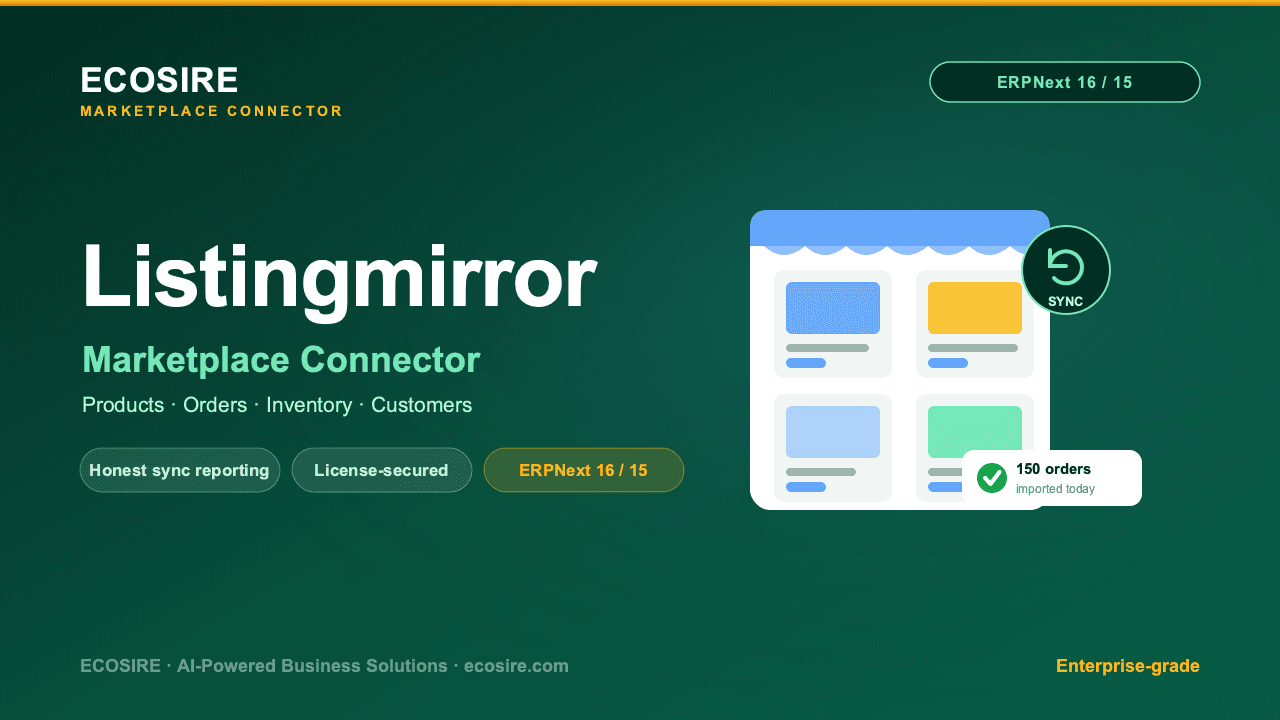
A build-to-order Frappe app that turns your ERPNext shipment, delivery, and carrier data into cost, on-time performance, and carrier scorecard dashboards. ECOSIRE scopes, builds, installs, and supports it — it is not an instant marketplace download.
Leopards Courier Connector
A build-to-order ERPNext integration that connects Leopards Courier to your Delivery Note and Sales Order flow — one-click consignment booking, CN label printing, COD reconciliation, and automated tracking updates. ECOSIRE scopes, builds, installs, and supports it.
- Dedicated `leopards_connector` Frappe app with its own ERPNext module — no monkey-patching of standard DocTypes
- `Leopards Settings` single DocType storing API key/password via encrypted password fields, with staging and production environment toggle
- One-click 'Book with Leopards' action on submitted Delivery Notes via a `@frappe.whitelist()` method calling the Leopards `bookPacket` API
- `Leopards Shipment` DocType linked to Delivery Note and Sales Order, capturing CN number, weight, pieces, COD amount, and live status